
Lead magnet comparisons · 8 min read
Leadpages vs Givloh for Lead Magnet Pages
A plain-English comparison for service businesses deciding between a landing page builder and a focused lead magnet capture and file delivery workflow.
- Leadpages is a broader landing page and website tool for building conversion pages.
- Givloh is narrower: it gives a service business one resource page, email capture, file delivery, and a lead list for social bio link lead magnets.
- Choose based on whether the business needs a general landing page builder or a simple resource-to-lead workflow it can launch quickly.
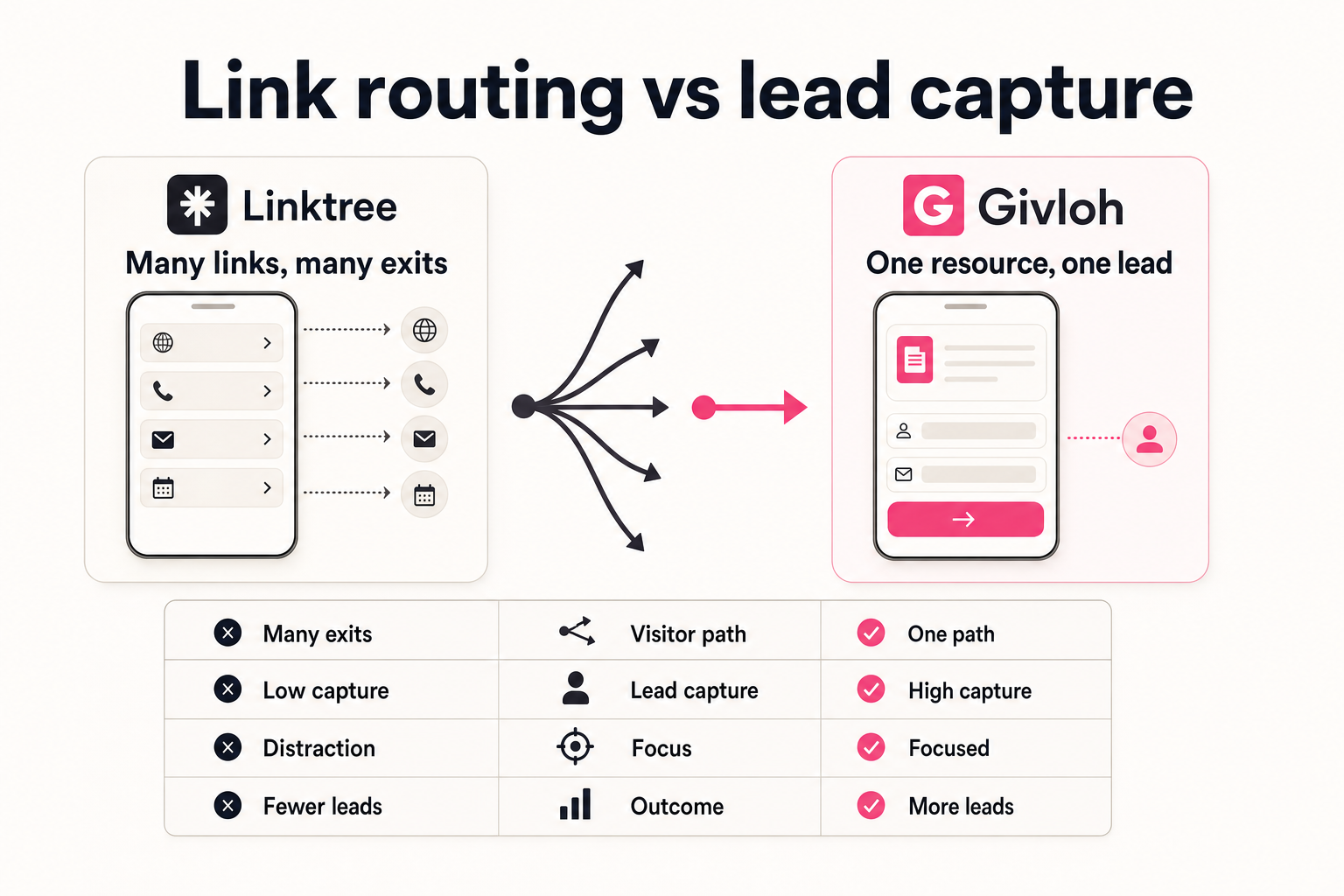
Compare the job each tool is hired for
Leadpages is useful when a business wants to build landing pages, campaign pages, and broader conversion pages. That can be the right choice for teams that already know what page they want and how the rest of the follow-up stack works.
Givloh is built for a narrower service-business job: upload a checklist, guide, worksheet, or template, publish the resource page, collect the email, deliver the file, and see the lead.
For a small business sharing one resource from Instagram, LinkedIn, Facebook, Nextdoor, a QR code, or an email signature, the narrower workflow can be easier to finish.
The practical distinction
- Leadpages: build landing pages and campaign pages.
- Givloh: host and deliver email-gated service-business resources.
- Leadpages: more page-building flexibility.
- Givloh: fewer moving parts for one lead magnet.
- Leadpages: useful for teams managing campaigns. Givloh: useful for owner-led service businesses starting with one resource.
The missing step is often file delivery
A lead magnet page is not complete when the form is published. The business also needs to host the file, deliver it reliably, store the lead, and follow up with context.
A landing page builder may be a good page layer, but the business still needs to confirm how file delivery, lead storage, and follow-up will work. That often means adding email software, storage, or automation.
Givloh combines those steps for the specific resource workflow. The tradeoff is less page-building breadth, but a faster path to a working lead magnet.
For a service business, the best lead magnet setup is the one that actually gets the resource live and captures the first lead.
Givloh editorial note
Where each option fits
| Need | Better fit | Why |
|---|---|---|
| Build many campaign landing pages | Leadpages | Broader page-building workflow |
| Share one checklist from a bio link | Givloh | Resource page, email gate, delivery, and lead list in one flow |
| Customise page layouts heavily | Leadpages | More control over landing page design |
| Replace Drive, a form, and manual email delivery | Givloh | Consolidates the lead magnet workflow |
| Launch a first service-business resource quickly | Givloh | Less setup before the first download |
Decision sequence
- Decide whether the main need is page design flexibility or email-gated file delivery.
- List the tools needed after the form is submitted.
- Choose the simplest setup that captures the email and delivers the resource reliably.
- Use the download topic to shape follow-up.
- Review the workflow after the first real leads arrive.
Why Givloh fits service-business lead magnets
A plumber, solicitor, cleaner, accountant, therapist, roofer, or mortgage broker usually does not need a complex landing page system to test the first downloadable resource. They need one professional page that turns a social visitor into a named lead.
Givloh is intentionally focused on that path. It keeps the page, email gate, file delivery, and lead list together so the business does not have to connect several subscriptions before learning whether the resource works.
For another page-builder comparison, read landing page builder vs Givloh for lead magnet pages.
Choose Givloh when
- The offer is a checklist, worksheet, buyer guide, template, or preparation sheet.
- The business wants to share the resource from social, QR codes, referrals, or email signatures.
- The file should be delivered automatically after email capture.
- The owner wants a simple lead list tied to the resource.
- The first priority is launching, not designing a complex campaign page.
Use this as the starting checklist
- Use Leadpages when landing page design flexibility is the main requirement.
- Use Givloh when email-gated file delivery is the main workflow.
- Account for the page, form, storage, delivery, lead record, and follow-up.
- Avoid building a broad campaign stack before testing the first resource.
- Follow up based on the resource downloaded, not a generic form submission.
References and useful next reading
Givloh
Turn the resource into a lead capture page.
Upload a guide, checklist, template, or tool. Share one link. Capture the email before the download. No Mailchimp, Zapier, Drive permissions, or landing page builder.
Try Givloh freeFAQ
Is Leadpages better than Givloh?
Leadpages may be better for building broader landing page campaigns. Givloh is better suited to service businesses that want a simple email-gated resource page with file delivery and lead capture.
Can Leadpages be used for lead magnets?
Yes, a business can use Leadpages as the landing page layer for lead magnets, but it still needs to account for file hosting, delivery, lead storage, and follow-up.
Why would a service business choose Givloh instead of a landing page builder?
A service business may choose Givloh when it wants to upload a resource, publish a page, capture the email, deliver the file, and see the lead without connecting a larger stack.