
Tool comparisons · 8 min read
Microsoft Forms vs Givloh for Lead Magnets
A practical comparison for service businesses deciding whether to use Microsoft Forms or Givloh for email-gated lead magnet delivery.
- Microsoft Forms is useful for collecting responses, surveys, and simple enquiry details inside the Microsoft ecosystem.
- Givloh is better when the goal is a public lead magnet page that captures the email, delivers a file, and keeps the resource context tied to the lead.
- A service business can use Forms for internal intake and Givloh for the public social bio link that turns resource downloads into leads.
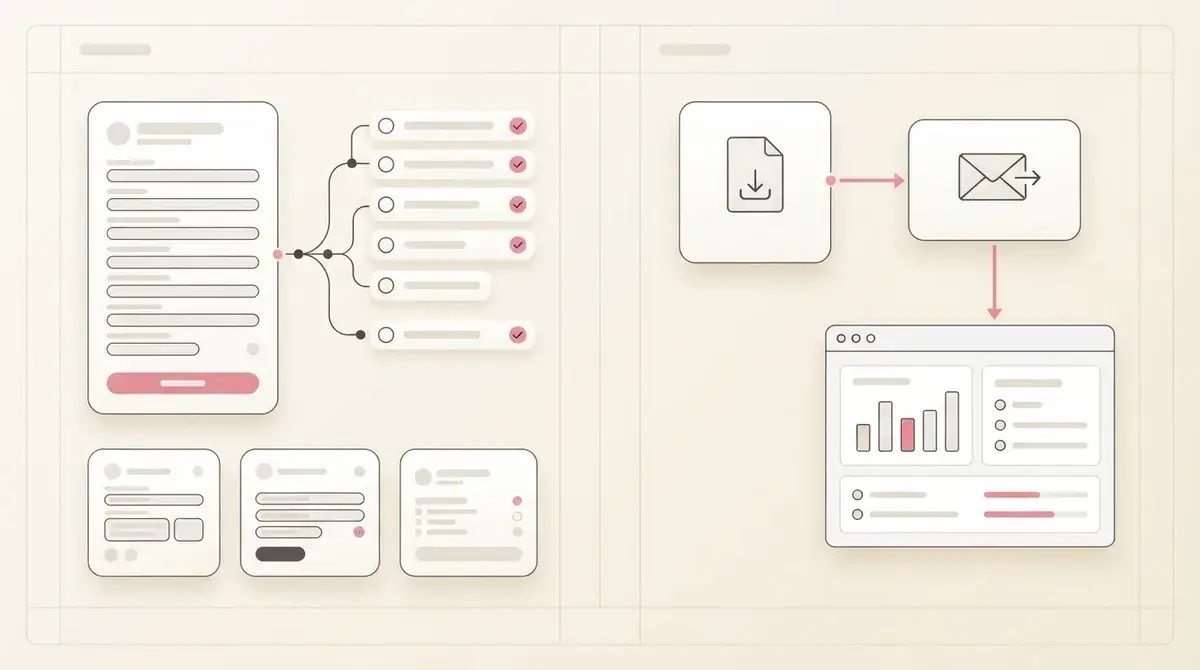
The difference is the job
Microsoft Forms and Givloh can both collect information, but they solve different jobs. Microsoft Forms is a general form tool. It is useful for surveys, quizzes, internal requests, simple intake, and structured responses.
A lead magnet flow needs more than a form. The business needs a credible public page, a short email gate, file delivery, a lead list, and a simple link to share from social profiles and posts.
If the business is already comparing simple form tools, also see Google Forms vs Givloh for lead capture.
Use Microsoft Forms when
- The main job is a survey, quiz, internal request, or structured intake form.
- The audience is already comfortable with a Microsoft form link.
- File delivery and public landing page polish are not central.
- The business wants response data rather than a resource download flow.
- The form is used after a lead is already qualified.
Where Givloh fits better
Givloh is built for the public resource offer. A service business uploads a guide, checklist, template, or worksheet, then shares one page from Instagram, LinkedIn, Facebook, Google Business Profile, email signatures, or QR codes.
The visitor enters an email before the file is delivered. The business sees which resource created the lead and can follow up with context.
That is different from sending people to a generic form link and then manually handling the file, permissions, and follow-up.
Forms collect responses. Givloh turns a useful file into a lead capture page.
Givloh editorial note
Compare the workflow
| Job | Microsoft Forms | Givloh |
|---|---|---|
| Collect survey responses | Strong fit | Not the main job |
| Gate a PDF before download | Possible with extra steps | Built into the flow |
| Public resource page | Basic form experience | Purpose-built lead magnet page |
| Automatic file delivery | Usually manual or separate | Built in |
| Social bio link offer | Possible but form-led | Built for one resource link |
| Lead context by resource | Requires setup | Native to the workflow |
Simple decision rule
- Use Microsoft Forms for surveys, questionnaires, and internal response collection.
- Use Givloh when the public offer is a downloadable guide, checklist, or template.
- Keep the public social link focused on one useful resource.
- Use the download topic to shape the first follow-up.
- Move detailed intake questions later in the sales process.
Avoid making the form do every job
A common mistake is making the public form too long. The visitor came for a useful resource, not a full intake process. Ask for the email, deliver the file, and use the follow-up to ask the next question.
Microsoft Support explains the mechanics of sharing a form and collecting responses. That is useful when the form is the product of the workflow. For a lead magnet, the downloadable resource is the product of the workflow.
Givloh keeps the front door simple so more visitors finish the exchange.
Best combined setup
- Givloh for public lead magnet delivery.
- Microsoft Forms for detailed intake after the prospect replies.
- One resource per public campaign.
- Short first follow-up tied to the downloaded resource.
- Clear consent and responsible email handling.
Use this as the starting checklist
- Use Microsoft Forms when the main job is response collection.
- Use Givloh when the main job is email-gated file delivery from a public resource page.
- Keep the first lead magnet form short.
- Avoid sending social traffic to a long intake form before trust exists.
- Follow up based on the resource the person requested.
References and useful next reading
Givloh
Turn the resource into a lead capture page.
Upload a guide, checklist, template, or tool. Share one link. Capture the email before the download. No Mailchimp, Zapier, Drive permissions, or landing page builder.
Try Givloh freeFAQ
Can Microsoft Forms be used for lead magnets?
It can collect contact details, but the business may still need a public resource page, file delivery, tracking, and follow-up workflow around the form.
When is Givloh better than Microsoft Forms?
Givloh is better when a service business wants to share a guide, checklist, template, or worksheet from social media and capture the email before delivering the file.
Can a business use both Microsoft Forms and Givloh?
Yes. Givloh can handle the public lead magnet flow, while Microsoft Forms can collect detailed intake information later once the prospect is more qualified.