
Tool comparison · 8 min read
Wix vs Givloh for Lead Magnet Pages
A plain-English comparison for service businesses deciding between building a general landing page in Wix and using Givloh for email-gated resource delivery.
- Wix is a broad website and landing page builder. Givloh is focused on email-gated lead magnet pages for service businesses.
- Use Wix when you need a full website, custom pages, broader design control, or a general landing page system.
- Use Givloh when the job is simpler: upload a resource, capture an email, deliver the file, and see the lead in one place.
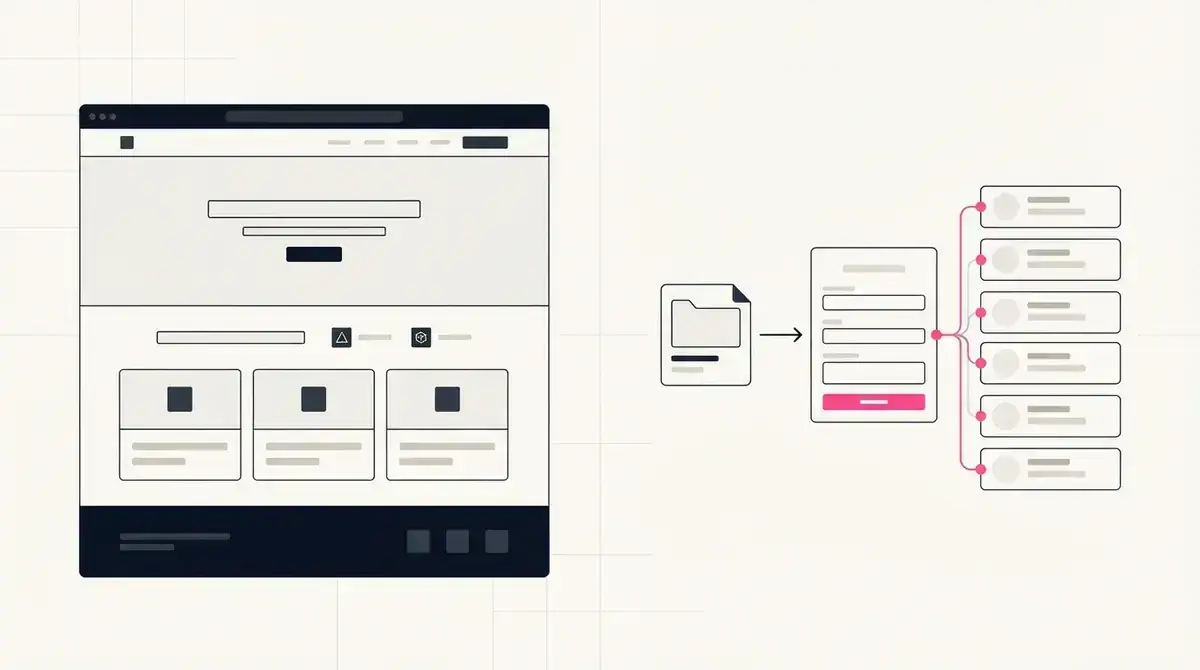
The main difference is the job you need done
Wix is built for creating websites, landing pages, online stores, booking pages, blogs, and other web experiences. That flexibility is useful when a business needs a broader site builder.
Givloh is narrower. It is built for service businesses that want one resource page that captures an email before delivering a guide, checklist, template, or tool.
If the task is "build a full website," Wix is the more natural category. If the task is "turn this PDF into a lead capture page today," Givloh removes several extra setup steps.
Simple decision rule
- Need a full website or many custom pages: consider Wix.
- Need one email-gated resource page: consider Givloh.
- Need ecommerce or complex site sections: consider a website builder.
- Need file delivery, lead capture, and a bio link: use a focused lead magnet workflow.
- Need to replace Drive, email forms, and manual follow-up lists: keep the stack simple.
What service businesses usually underestimate
A landing page is only one part of a lead magnet workflow. The business also needs file hosting, email capture, delivery, lead storage, and a way to understand which resource produced the contact.
A general website builder can support pieces of that workflow, often with forms, file settings, follow-up steps, or third-party tools. The tradeoff is that the business has to configure the system correctly.
Givloh keeps the workflow narrow so the owner can upload the resource, share the link, and capture the contact without building a wider website stack.
The question is not whether you can build a landing page. The question is whether the whole lead capture loop is simple enough to finish.
Givloh editorial note
Compare the workflow step by step
This is not about which tool is bigger. It is about which workflow the business actually needs this week.
| Job | Wix | Givloh |
|---|---|---|
| Build a full website | Strong fit | Not the job |
| Make one resource page | Possible | Core workflow |
| Capture an email before download | Requires setup | Built in |
| Deliver a file automatically | Requires setup | Built in |
| See resource leads | Requires setup | Built in |
| Put one offer in a social bio | Possible | Core workflow |
Use Givloh when you want to
- Offer one guide, checklist, template, or tool.
- Collect an email before the download.
- Deliver the resource without manual sending.
- Use one focused social bio link.
- Avoid stitching together several tools for a small workflow.
When Wix is still the right choice
Wix can be a good fit when the business needs a full marketing website, multiple page types, custom design control, ecommerce features, or a broader web presence beyond one lead magnet.
A service business may even use both: Wix for the main website and Givloh for focused resource pages shared from social posts, email signatures, and campaign links.
For a narrower comparison against standalone landing page tools, see landing page builder vs Givloh for lead magnet pages.
Avoid these decision mistakes
- Choosing a broad website builder when the only job is one resource page.
- Building a pretty page but forgetting file delivery.
- Collecting form submissions without a follow-up list.
- Adding extra tools before proving the lead magnet works.
- Sending social traffic to a generic homepage instead of a specific resource.
Use this as the starting checklist
- Decide whether you need a full website or one lead magnet page.
- Map the whole workflow: page, email form, file delivery, and lead list.
- Use a broad builder for broad website needs.
- Use Givloh for focused resource capture and delivery.
- Keep the social bio link tied to one clear resource offer.
References and useful next reading
Givloh
Turn the resource into a lead capture page.
Upload a guide, checklist, template, or tool. Share one link. Capture the email before the download. No Mailchimp, Zapier, Drive permissions, or landing page builder.
Try Givloh freeFAQ
Is Wix better than Givloh for lead magnet pages?
Wix is better for broader website and landing page building. Givloh is better when the specific job is email-gated resource delivery for a service business.
Can I use Wix and Givloh together?
Yes. A business can use Wix for its main website and Givloh for focused lead magnet pages shared from social media or campaigns.
Why not just build a lead magnet page in a website builder?
You can, but you still need email capture, file delivery, lead storage, and follow-up. Givloh packages those steps into one focused workflow.