
Lead follow-up strategy · 8 min read
How to Segment Leads by Resource Download
A practical guide for service businesses that want to use each downloaded checklist, guide, or template as the first signal for better lead follow-up.
- A resource download is more useful when it tells the business what problem the lead cares about.
- Service businesses can segment leads by the resource requested, the service category, the urgency signal, and the next sensible follow-up question.
- The goal is not complicated automation. It is a clearer first reply that matches why the person asked for the resource.
Start with the problem behind the download
A lead magnet is more than a file. It is a small signal about what the visitor is trying to solve. Someone who downloads a moving checklist is showing a different need from someone who downloads a quote comparison sheet.
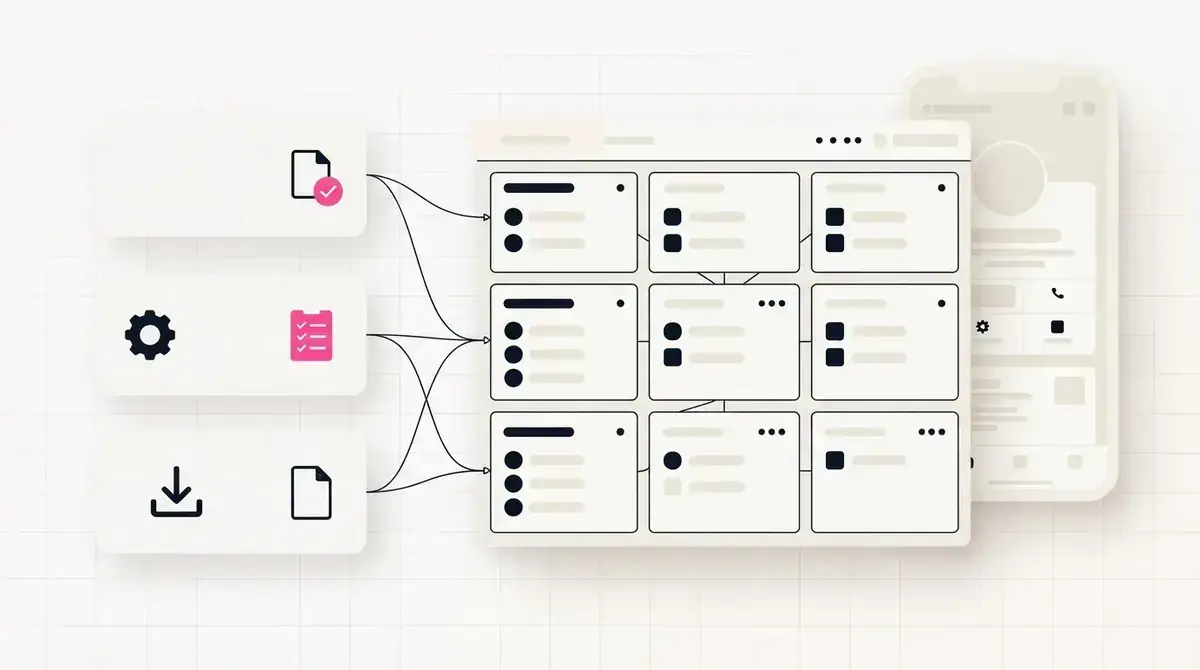
That signal should shape the first follow-up. A service business does not need a complex CRM to use it. It needs a simple way to record which resource created the lead and a practical follow-up message tied to that resource.
This is where a focused resource page is stronger than a raw file link. The business captures the email and keeps the context of why the person requested the file.
Useful first segmentation signals
- The exact resource requested.
- The service category the resource belongs to.
- Whether the resource suggests urgent, research, or preparation intent.
- The platform or profile link that drove the visit.
- The next question the business should ask after delivery.
Keep segments small enough to use
Segmentation becomes useless when every tiny variation becomes a separate list. Owner-led service businesses need segments they can actually act on during follow-up.
A practical setup might group leads by resource type: appointment prep, quote readiness, maintenance checklist, buyer guide, or consultation worksheet. Each group needs a slightly different first reply, not a full marketing campaign.
The test is simple: if the segment helps the business write a better follow-up email in two minutes, it is useful.
The download tells you what the lead cared about when they raised their hand.
Givloh editorial note
Write follow-up around the resource, not a generic pitch
The first message after delivery should acknowledge the resource and ask one relevant question. A generic sales email breaks the trust created by the helpful download.
For example, a web designer sending a website audit checklist could ask whether the reader wants a second pair of eyes on one page. A cleaner sending an end-of-tenancy checklist could ask whether the moving date is already confirmed.
This keeps the tone practical and makes the service next step feel connected to the reason the person joined the list.
Simple resource-based follow-up flow
- Deliver the promised file immediately.
- Tag or record the lead by resource name.
- Send one short follow-up tied to that resource.
- Ask one question that helps qualify the need.
- Offer the relevant service next step only after the context is clear.
Use downloads to decide what to publish next
Resource segmentation is not only for follow-up. It also tells the business which topics are attracting real interest from social profiles and posts.
If a preparation checklist gets more downloads than a broad guide, the business can publish more practical prep content. If a quote-readiness worksheet attracts better enquiries, that topic can become the main bio link offer.
The point is to learn from named interest, not just likes or page views.
Signals worth reviewing monthly
- Which resources captured the most leads.
- Which resources led to replies or bookings.
- Which social posts drove the most useful downloads.
- Which resources need clearer follow-up copy.
- Which low-performing resource should be retired or rewritten.
Use this as the starting checklist
- Name the lead segment after the resource or customer problem.
- Keep the number of active segments manageable.
- Write one short follow-up template for each main resource.
- Review downloads and replies together, not downloads alone.
- Retire resources that attract interest but no useful conversations.
References and useful next reading
Givloh
Turn the resource into a lead capture page.
Upload a guide, checklist, template, or tool. Share one link. Capture the email before the download. No Mailchimp, Zapier, Drive permissions, or landing page builder.
Try Givloh freeFAQ
What is lead segmentation by resource download?
It means using the specific checklist, guide, or template a person requested as the first clue about their problem, timing, and follow-up path.
Do small service businesses need a CRM to segment leads?
Not at the start. They need a clear record of which resource each lead requested and a practical follow-up message that matches that resource.
How many lead segments should a service business start with?
Start with three to five useful groups, such as appointment prep, quote readiness, maintenance, buyer education, and consultation worksheets.