
LinkedIn lead generation · 8 min read
LinkedIn Lead Magnet Strategy for Commercial Mortgage Brokers
A cautious LinkedIn lead magnet strategy for commercial mortgage brokers using borrower checklists, refinancing guides, and preparation worksheets.
- Commercial mortgage brokers can use LinkedIn to offer preparation resources before a borrower is ready for a full finance conversation.
- Strong lead magnets include refinancing readiness checklists, document preparation sheets, property finance question guides, and lender-comparison worksheets.
- Givloh turns the LinkedIn link into an email-gated resource page, so the broker captures the lead before sending the file.
Use LinkedIn for preparation, not pressure
Commercial property finance decisions are rarely impulse decisions. Borrowers, investors, landlords, and directors often need to understand documents, timelines, valuation questions, refinancing triggers, and lender requirements before they are ready for a call.
That makes LinkedIn a useful place to offer practical preparation resources. The post can explain one decision point and send readers to a checklist, guide, or worksheet instead of asking everyone to book immediately.
The resource should be careful. It should help the reader organise questions and documents, not make finance promises or imply that a particular product is suitable.
Good commercial mortgage broker resources
- Commercial refinance readiness checklist.
- Documents to gather before speaking to a broker.
- Questions to ask before comparing commercial mortgage options.
- Property purchase finance preparation worksheet.
- Guide to discussing timing, deposit, rental income, and business context.
Make the LinkedIn post narrow
A broad post about commercial mortgages is easy to ignore. A narrow post tied to a specific business moment is more useful: lease renewal, balloon payment, expansion, purchase, refinance, valuation change, or landlord portfolio planning.
The post should give enough context to be useful in the feed, then offer the resource for people who want the structured version. LinkedIn's own help explains that members can post content and share links from the feed or from a Page, which is enough for this simple organic workflow.
For another professional LinkedIn example, read LinkedIn lead magnet strategy for financial advisers.
The post earns attention. The resource captures permission.
Givloh editorial note
Send the link to one resource page
The mistake is sending readers from LinkedIn to a homepage, a calendar, a public PDF, or a generic contact page. Each option can work for some visitors, but none reliably captures the person who only wants the guide first.
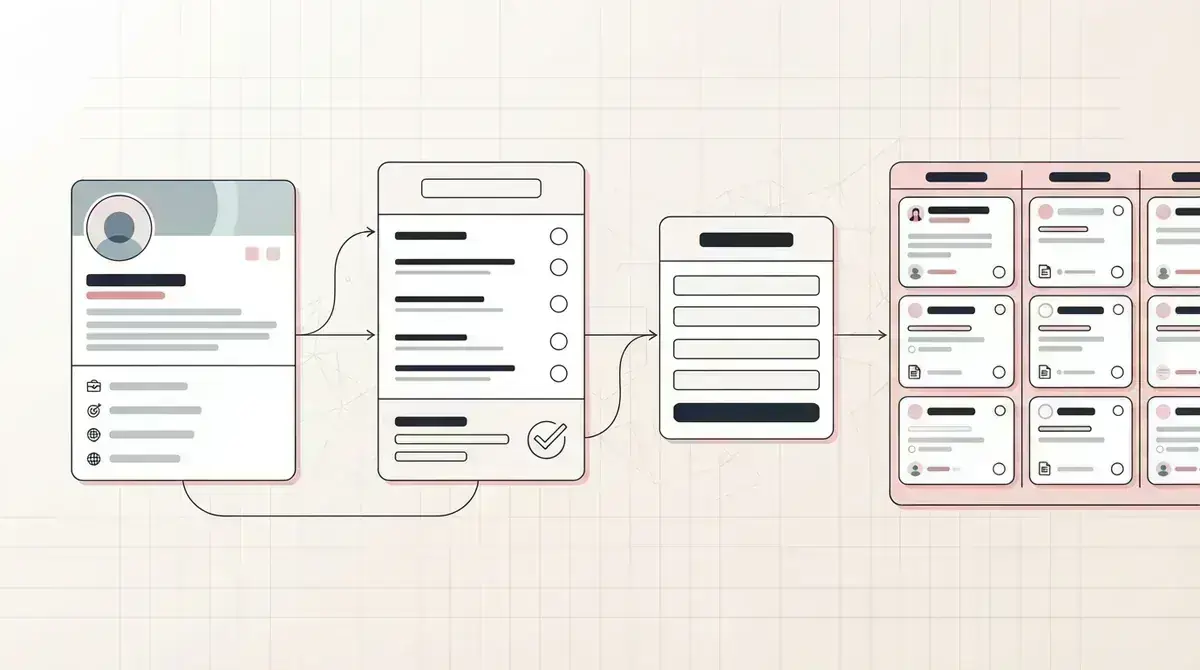
A stronger path is one LinkedIn post, one resource page, one email form, one automatic file delivery, and one lead list. That lets the broker see which topic created the lead.
Givloh replaces the small stack behind that path: file hosting, landing page, email gate, delivery step, and simple lead capture.
Simple LinkedIn workflow
- Choose one borrower, landlord, investor, or director question.
- Write a checklist, preparation sheet, or question guide around that decision.
- Publish it as an email-gated Givloh resource page.
- Share the link in a LinkedIn post, Page update, profile featured link, or follow-up message.
- Follow up based on the resource requested and the finance stage.
Follow up without overstepping
The first reply should not assume the reader is ready to apply. Ask what prompted the download, whether they are buying, refinancing, renewing, or comparing options, and what timeline they are working toward.
Keep regulated or suitability-sensitive wording out of automated claims. The resource can help prepare a conversation, but the broker still needs to understand the borrower's circumstances before giving specific guidance.
For a broader professional-service list building pattern, read the mortgage broker email list building guide.
Useful broker segments
- Purchase, refinance, renewal, development, portfolio, or expansion.
- Borrower type: owner-occupier, landlord, investor, company director, or adviser referral.
- Timeline: exploring, preparing documents, comparing options, or time-sensitive.
- Property type and finance question.
- Resource downloaded and LinkedIn post that created the lead.
Use this as the starting checklist
- Choose one commercial finance decision point.
- Keep the resource practical and preparatory, not product-specific advice.
- Use a narrow LinkedIn post that points to one Givloh resource page.
- Capture the email before delivering the checklist, worksheet, or guide.
- Follow up by finance stage, property context, and resource downloaded.
References and useful next reading
Givloh
Turn the resource into a lead capture page.
Upload a guide, checklist, template, or tool. Share one link. Capture the email before the download. No Mailchimp, Zapier, Drive permissions, or landing page builder.
Try Givloh freeFAQ
What lead magnet works on LinkedIn for commercial mortgage brokers?
Preparation checklists, refinance readiness guides, document worksheets, and question sheets can work well because they help a borrower organise the conversation before applying.
Should a broker send LinkedIn traffic to a calendar link?
A calendar link can work for ready buyers, but an email-gated resource captures people who are interested and not ready to book yet.
How should brokers follow up after a LinkedIn lead magnet download?
Ask what prompted the download, what stage the borrower is in, and what timeline they are working toward. Avoid assuming suitability from the download alone.