
LinkedIn lead generation · 8 min read
LinkedIn Lead Magnet Strategy for Insurance Brokers
A cautious LinkedIn lead magnet strategy for insurance brokers using risk-review checklists, renewal preparation guides, and email-gated resources.
- Insurance brokers can use LinkedIn to share practical risk-review resources that help business owners prepare for renewal or a coverage conversation.
- The resource should avoid advice on specific cover and instead focus on questions, documents, exposures, and review triggers.
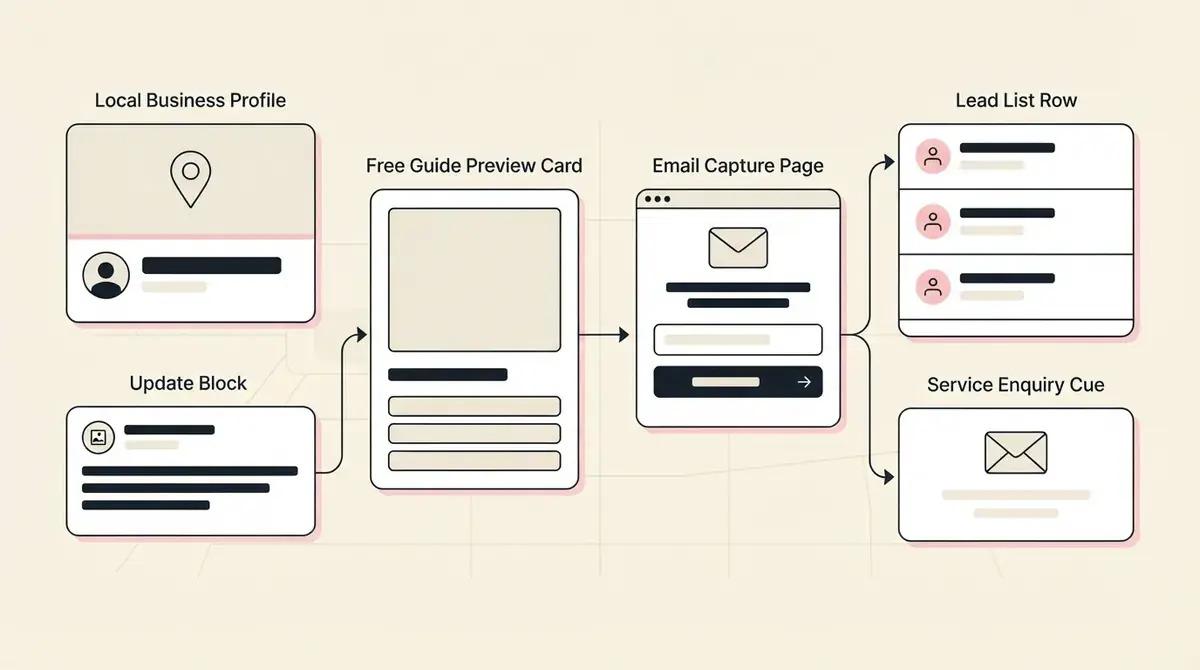
- Givloh gives the broker one resource page, email capture, file delivery, and a lead record tied to the downloaded guide.
Use LinkedIn for prepared conversations
Insurance decisions are rarely impulse decisions. A business owner may need to check current policies, renewal dates, contracts, premises changes, staff changes, or new risks before speaking to a broker.
That makes LinkedIn a good channel for resource-led posts. Instead of asking someone to book a call immediately, the broker can offer a short renewal preparation checklist or risk-review guide.
For the broader profession playbook, read the insurance broker email list building guide.
Useful LinkedIn resource angles
- Business insurance renewal preparation checklist.
- Questions to ask before comparing broker quotes.
- Risk-review worksheet for growing service businesses.
- Document checklist before a commercial insurance review.
- New premises or new staff insurance preparation guide.
Keep the copy inside clear advice boundaries
A public lead magnet should not tell a business which policy to buy or imply that a downloadable checklist replaces regulated advice. It can help the reader prepare better questions and gather the information a broker will need.
Use careful language: 'questions to review' is safer than 'cover you must have.' 'Talk to a qualified broker' is clearer than broad statements about what every business needs.
That caution does not weaken the offer. It makes the resource more trustworthy.
For insurance brokers, the lead magnet should prepare the review. It should not try to be the review.
Givloh editorial note
Turn LinkedIn posts into resource requests
A practical LinkedIn post can name a trigger event: renewal coming up, new premises, first employee, higher-value contracts, new equipment, or a client asking for proof of cover. The post then offers the checklist as the next step.
LinkedIn's own ad tools include Lead Gen Forms for paid campaigns, but many brokers can start with an organic post and a single resource link before spending on ads. The important part is that the download becomes a lead the broker can follow up with.
Givloh handles the resource page and delivery, so the broker does not need to connect a file host, form, and email tool before testing the post.
Simple LinkedIn workflow
- Pick one insurance review trigger.
- Write a short checklist or question guide around that trigger.
- Publish it as an email-gated Givloh page.
- Share one LinkedIn post with a practical caption and the resource link.
- Follow up by asking whether the person wants help preparing for a broker conversation.
Segment leads by risk context
The resource topic can help the broker prioritise follow-up. A renewal checklist suggests timing. A new premises guide suggests a business change. A contract requirement checklist suggests urgency.
The first follow-up should ask for context, not make assumptions. A simple question like 'Are you reviewing an existing policy or preparing for a new requirement?' is more useful than a generic sales email.
This is where an owned lead list matters. The broker can see which resource created the enquiry and respond with a relevant next step.
Useful segments to record
- Renewal, new requirement, premises change, staff change, or contract trigger.
- Industry and approximate business size.
- Current provider or broker status, if volunteered.
- Timeline for review or renewal.
- Resource downloaded and LinkedIn post that introduced it.
Use this as the starting checklist
- Choose one LinkedIn resource tied to a real review trigger.
- Avoid specific coverage recommendations in the downloadable file.
- Use an email-gated page so the broker owns the enquiry.
- Follow up with preparation questions before offering a call.
- Track which LinkedIn topics create qualified conversations.
References and useful next reading
Givloh
Turn the resource into a lead capture page.
Upload a guide, checklist, template, or tool. Share one link. Capture the email before the download. No Mailchimp, Zapier, Drive permissions, or landing page builder.
Try Givloh freeFAQ
What lead magnet works for insurance brokers on LinkedIn?
A renewal preparation checklist, risk-review worksheet, or document checklist can work because it helps business owners prepare for a broker conversation.
Should an insurance broker give coverage advice in a lead magnet?
A public lead magnet should stay cautious. It can help with preparation and questions, but specific coverage advice should happen through the broker's normal regulated process.
Why use Givloh instead of only posting a PDF link?
A plain PDF link may get clicks without lead capture. Givloh captures the email before delivery and keeps the resource topic attached to the lead record.