
Professional services · 8 min read
LinkedIn Lead Generation for Business Consultants
A practical LinkedIn lead generation guide for business consultants using diagnostic resources, email-gated downloads, and useful follow-up.
- Business consultants can use LinkedIn to capture leads by turning diagnostic expertise into a useful downloadable resource.
- Good resources help a prospect assess a problem before they are ready to book a call.
- A Givloh link gives the consultant one simple place to capture the email and deliver the resource.
Turn diagnosis into the lead magnet
Consultants often win work because they can diagnose a problem clearly. LinkedIn is a natural place to share that thinking, but a post alone does not create an owned lead list.
A diagnostic resource turns that expertise into a next step. The reader gets a scorecard, checklist, worksheet, or planning guide. The consultant gets a contactable lead with context.
This works best when the resource narrows the problem. A broad business growth guide is less useful than a pricing review checklist, operations bottleneck scorecard, or sales process audit.
Strong consultant resource angles
- Operations bottleneck scorecard.
- Sales process audit checklist.
- Pricing review worksheet.
- Client onboarding gap checklist.
- Quarterly planning question sheet.
Make LinkedIn posts point to one resource
LinkedIn posts can preview one part of the diagnostic process. The call to action should be simple: download the full checklist or worksheet from the profile link.
That is more practical than asking every reader to book a call immediately. Many good prospects are still researching, comparing options, or trying to name the problem.
For a broader professional-services example, see the marketing agency email list building guide.
A good consultant lead magnet gives the prospect language for the problem before it sells the solution.
Givloh editorial note
Use the profile link as the capture point
A LinkedIn profile, company page, or post can create attention, but the capture needs to happen somewhere the consultant controls. A resource page with a short email form keeps the path clear.
The link should not send people to a crowded services page first. The resource is the bridge between a useful LinkedIn post and a commercial conversation.
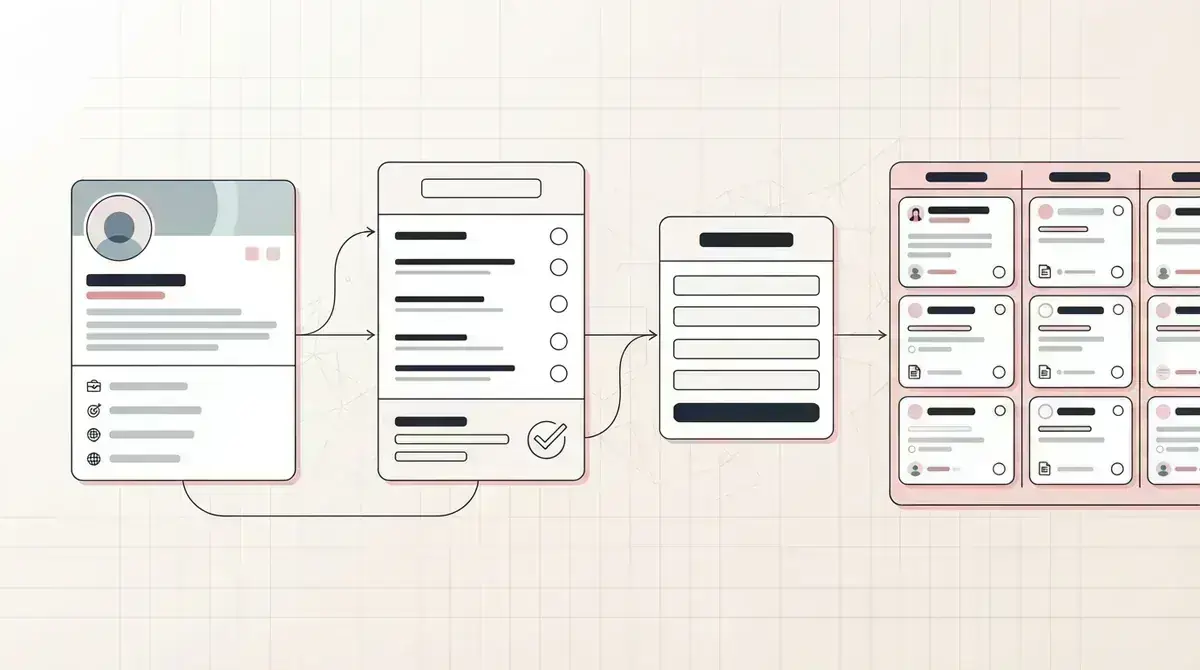
Givloh keeps that bridge simple: one page, one resource, one email capture step, and one dashboard for the lead.
LinkedIn resource flow
- Choose one consulting problem the audience recognizes.
- Publish posts that explain one symptom or mistake.
- Point readers to the diagnostic resource from the profile link.
- Capture the email before delivery.
- Follow up with one question tied to the resource.
Follow up with context, not a pitch deck
The first follow-up should reference the resource and ask a narrow question. If someone downloaded a pricing worksheet, ask which pricing issue they are reviewing. If they downloaded an operations scorecard, ask which bottleneck stood out.
This keeps the conversation useful and gives the consultant a better reason to suggest a call.
The downloaded resource becomes the first segmentation point before the business needs a complex email system.
Useful follow-up prompts
- Which part of the checklist felt most relevant?
- Are you reviewing this for your own business or a team?
- Is the issue urgent this quarter or exploratory?
- Would a short review of one section help?
- What would need to change for this to become a priority?
Use this as the starting checklist
- Pick one diagnostic resource, not a broad consulting ebook.
- Use LinkedIn posts to preview one problem at a time.
- Make the profile link point to the resource first.
- Capture the email before delivery.
- Follow up using the resource topic as context.
References and useful next reading
Givloh
Turn the resource into a lead capture page.
Upload a guide, checklist, template, or tool. Share one link. Capture the email before the download. No Mailchimp, Zapier, Drive permissions, or landing page builder.
Try Givloh freeFAQ
What should a business consultant offer from LinkedIn?
A diagnostic checklist, scorecard, worksheet, or planning guide usually works better than a broad brochure because it helps the prospect assess one problem.
Should LinkedIn posts send people straight to a booking page?
Not always. A useful resource can be a better first step for prospects who are interested but not ready to book a call.
How should consultants follow up with LinkedIn leads?
Reference the downloaded resource and ask one practical question before suggesting a call or deeper review.