
Lead capture comparisons · 8 min read
Contact Form vs Givloh for Service Business Lead Capture
A practical comparison of standard website contact forms and Givloh for service businesses that want to capture leads from social media.
- A contact form is useful for people who already know they want to enquire. Givloh is better for turning resource interest into named leads before someone is ready to ask for a quote.
- Service businesses often need both: a contact form on the website and a Givloh resource link in social bios, posts, email signatures, and referral conversations.
- The key difference is intent. A contact form waits for an enquiry; a lead magnet gives the prospect a useful reason to share their details earlier.
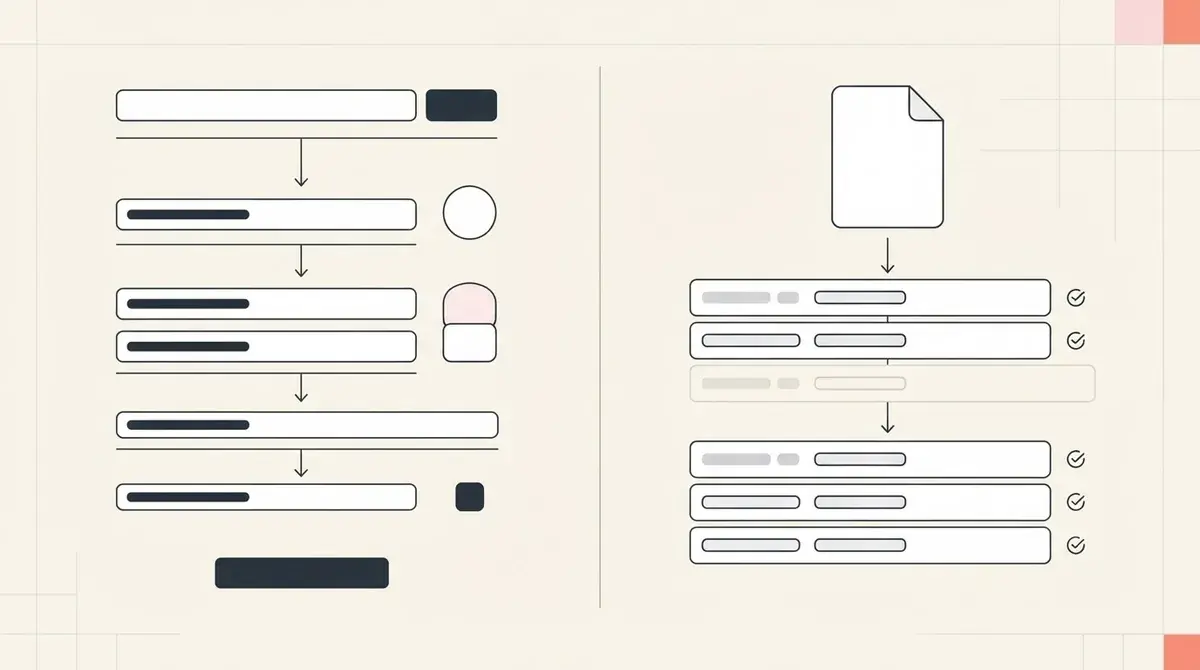
Use a contact form for ready-now enquiries
A standard contact form belongs on a service business website. It is useful when someone already knows they want to book, ask for a quote, request a call, or send project details.
The limitation is timing. Many social visitors are interested but not ready to ask for a quote yet. Sending every person to a contact page can feel too direct, so they leave without becoming known.
That is why contact forms and lead magnets solve different parts of the same problem.
Contact forms work best when someone wants to
- Book a consultation.
- Ask for a quote.
- Send project details.
- Request availability.
- Contact the business directly.
Use Givloh when the prospect needs a softer next step
Givloh is for the person who taps a social bio link, sees a useful checklist, guide, template, or worksheet, and is willing to exchange their email for it. That person may not be ready to enquire today, but they are no longer anonymous.
The resource can be tied to the service: a consultation checklist, maintenance guide, pricing prep sheet, document checklist, or buyer-readiness worksheet. Givloh hosts it, captures the lead, delivers the file, and records the result.
For the full system, read how to build a one-resource bio link system.
A contact form captures declared demand. A lead magnet captures useful early intent.
Givloh editorial note
Compare the two by job, not feature list
The practical answer is not always either-or. Keep the contact form for direct enquiries. Use Givloh for the social and resource-driven traffic that would otherwise disappear.
| Job | Contact form | Givloh |
|---|---|---|
| Capture ready enquiries | Strong | Useful, but not the main job |
| Turn social visitors into leads | Weak unless they are ready | Strong |
| Deliver a guide or checklist | Usually manual or separate | Built in |
| Track which resource drove interest | Usually not clear | Built into the page and dashboard |
| Replace an email-gated PDF stack | No | Yes |
Best simple setup
- Website contact page for ready-now enquiries.
- Givloh resource link in social bios and posts.
- One checklist or guide for each major service.
- Follow-up emails based on the downloaded resource.
- Regular review of which resource creates the best leads.
Choose based on the source of the visitor
If the visitor is coming from a service page, a referral, or a search for pricing, a contact form may be the right next step. If the visitor is coming from Instagram, LinkedIn, Facebook, a QR code, or an advice post, a lead magnet is usually easier to accept.
This distinction matters because social traffic is often casual at first. The lead magnet gives that interest a practical next step and gives the business a way to follow up.
For another comparison of form-led capture, see Google Forms vs Givloh for lead capture.
Decision rule
- Use the contact form for people ready to talk now.
- Use Givloh for people who want a guide, checklist, or template first.
- Point social bio links to the resource, not only the contact page.
- Keep the follow-up tied to what the person downloaded.
- Review which route produces better conversations.
Use this as the starting checklist
- Keep a website contact form for direct enquiries.
- Use Givloh for resource-led social traffic.
- Do not send every social visitor straight to a quote form.
- Match each lead magnet to one service or buyer question.
- Follow up based on the resource topic and readiness.
References and useful next reading
Givloh
Turn the resource into a lead capture page.
Upload a guide, checklist, template, or tool. Share one link. Capture the email before the download. No Mailchimp, Zapier, Drive permissions, or landing page builder.
Try Givloh freeFAQ
Is Givloh a replacement for a contact form?
Not completely. A contact form is still useful for direct enquiries. Givloh is better for capturing people who want a useful resource before they are ready to ask for a quote.
Why not send social visitors to a contact page?
Some social visitors are ready to enquire, but many need a softer next step. A checklist or guide gives them a practical reason to share their details.
Can a service business use both?
Yes. Use the website contact form for ready enquiries and use Givloh resource pages for social posts, bio links, QR codes, referral partners, and advice content.