
Tool comparisons · 8 min read
Jotform vs Givloh for Lead Magnets
A plain-English comparison for service businesses deciding between Jotform and Givloh for email-gated lead magnets, file delivery, and simple social lead capture.
- Jotform is a flexible form builder; Givloh is built for the narrower job of turning a free resource into an email lead from a social bio link.
- Jotform may fit when the business needs custom forms, approvals, or several question types. Givloh is simpler when the main job is hosting a resource, capturing the email, and delivering the file.
- The better choice depends on whether the business needs form flexibility or a focused lead magnet workflow.
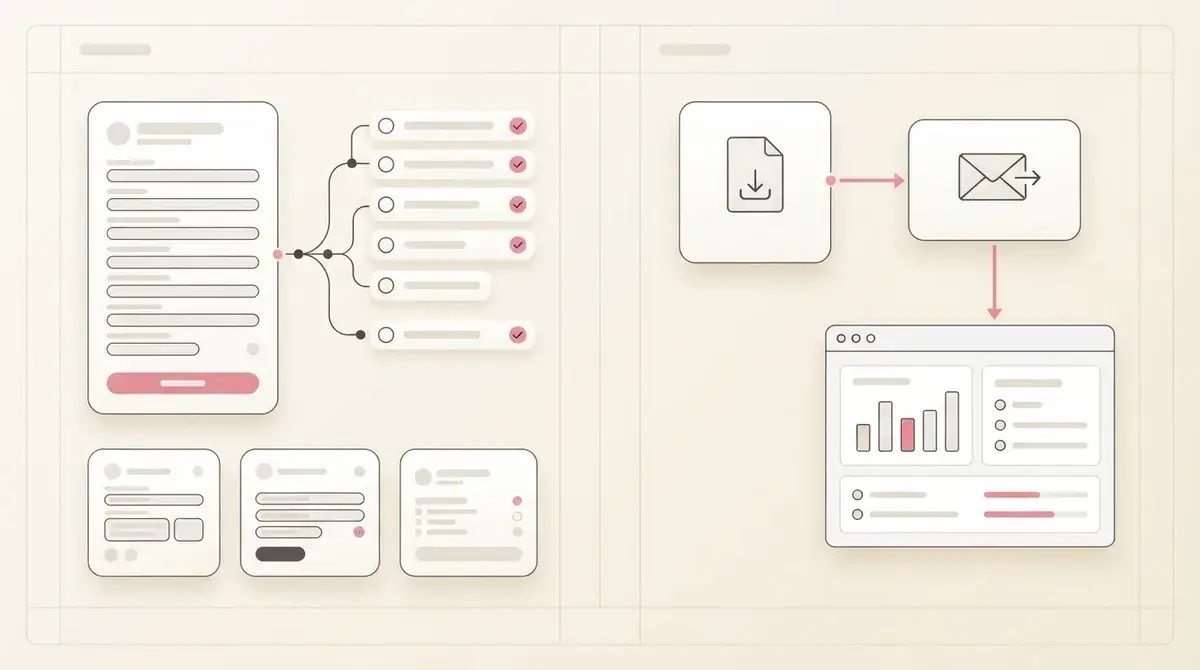
Compare the workflow each tool is built for
Jotform is a broad form platform. A service business can use it for enquiries, applications, payments, registrations, surveys, and many other form-based workflows.
Givloh is narrower. It is built around one common service-business job: offer a useful resource, capture an email, deliver the file, and store the lead from a shareable link.
Neither decision should start with a feature list. It should start with the job the business wants to complete this week.
The practical distinction
- Use Jotform when the form itself needs several custom fields or approvals.
- Use Givloh when the resource and delivery flow are the main job.
- Use Jotform when the business already has a form-heavy process.
- Use Givloh when the business wants one bio link page for a checklist, guide, or template.
- Avoid adding extra tools before the lead magnet has proven demand.
Where Jotform is strong
Jotform can be a good fit when a business needs a highly configurable form. That might include longer intake forms, quote requests, applications, booking questions, or internal workflows.
For a lead magnet, the trade-off is that the business still has to think through the surrounding experience: where the resource is hosted, what happens after submission, how the file is delivered, and how the link looks from social profiles.
That flexibility can be useful for teams that are comfortable configuring systems. It can also slow down an owner-led service business that only needs a free checklist to capture leads.
A flexible form can solve many jobs. A lead magnet needs the download and follow-up path to feel simple too.
Givloh editorial note
Where Givloh is simpler
Givloh is simpler when the offer is already clear: a checklist, guide, worksheet, template, or preparation sheet. The business uploads the resource, publishes the page, shares the link, and captures the email before delivery.
This matters because many service businesses never launch the lead magnet if they have to assemble several pieces first. They do not want to become marketing operations experts before testing whether the resource attracts leads.
Givloh keeps the first version focused enough to ship.
Givloh lead magnet workflow
- Upload the resource.
- Publish a professional resource page.
- Share one link from social profiles or posts.
- Capture the visitor email before delivery.
- Review the lead in the dashboard and follow up.
Choose based on setup burden and follow-up clarity
If the business needs a detailed form with many fields, Jotform may be the better starting point. If the business needs to turn a PDF, checklist, or guide into a lead capture page quickly, Givloh is the more focused option.
The decision is especially important for social traffic. A person tapping from a profile or post is usually moving quickly. The landing experience should be clear, short, and tied to the promised resource.
The best tool is the one that gets the resource live and creates leads the business can actually follow up with.
Decision questions
- Is the main asset a downloadable resource or a complex form?
- Does the business need custom branching and long intake questions?
- Will the owner be able to set up the full workflow without help?
- Does the link need to work cleanly from Instagram, LinkedIn, Facebook, or TikTok?
- Can the business see which resource created each lead?
Use this as the starting checklist
- Choose Jotform for complex form workflows.
- Choose Givloh for simple email-gated resource delivery.
- Keep the visitor path short when traffic comes from social profiles.
- Do not overbuild the stack before the resource has generated leads.
- Review setup time as seriously as feature depth.
References and useful next reading
Givloh
Turn the resource into a lead capture page.
Upload a guide, checklist, template, or tool. Share one link. Capture the email before the download. No Mailchimp, Zapier, Drive permissions, or landing page builder.
Try Givloh freeFAQ
Is Jotform or Givloh better for lead magnets?
Jotform is better when the business needs a flexible custom form. Givloh is better when the job is to host a resource, capture an email, deliver the file, and follow up from a simple social link.
Can a service business use Jotform for a lead magnet?
Yes, but the business may still need to handle resource hosting, delivery, follow-up, and the social landing experience. Givloh combines those pieces for the lead magnet workflow.
When should a small service business choose the simpler tool?
Choose the simpler tool when the goal is to launch a useful resource quickly and prove that it captures leads before investing in a broader form or marketing stack.