
Tool comparison · 8 min read
Typeform vs Givloh for Service Business Lead Capture
A practical comparison for service businesses deciding whether to use a general form builder or a dedicated resource delivery and lead capture flow.
- Typeform is useful for flexible forms and surveys; Givloh is built around email-gated resource delivery for service businesses.
- If the job is collecting answers through a custom form, Typeform may fit. If the job is delivering a free guide and capturing the lead, Givloh is simpler.
- The better choice depends on whether the business needs a form workflow or a lead magnet workflow.
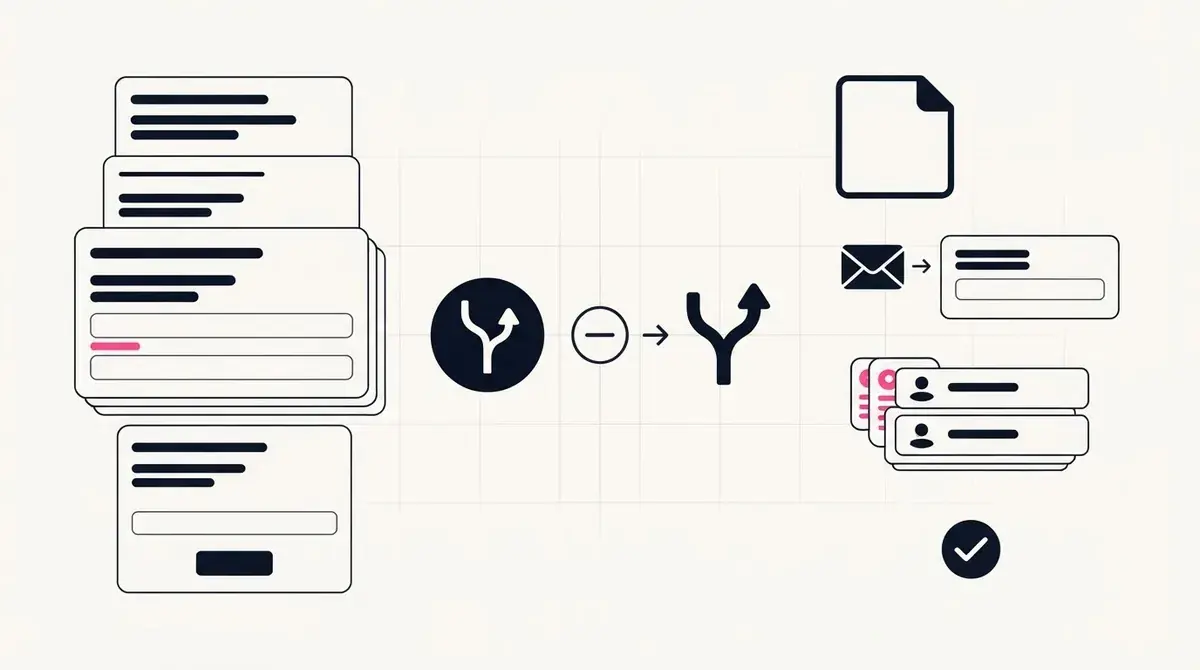
Compare the job, not just the form
A service business can collect leads in many ways. The important question is what has to happen after someone shows interest.
Typeform is a general form builder. It can collect answers, qualify enquiries, and connect to other tools. That flexibility is useful when the form itself is the main experience.
Givloh is narrower. It is built for one lead magnet job: host a resource, gate it with email, deliver the file, capture the lead, and make the link easy to share from social profiles.
The core distinction
- Use a form builder when you need custom questions and branching.
- Use Givloh when the lead magnet and file delivery are the main job.
- Use Givloh when the business wants one link for social resource downloads.
- Use a form builder when the workflow is a survey, application, or intake form.
- Avoid combining tools unless the extra complexity is worth it.
Where Typeform is strong
Typeform can be a strong fit when a service business needs to ask several questions before deciding what happens next. It is useful for applications, quote qualification, event enquiries, or detailed contact forms.
The trade-off is that the business still has to decide where the resource lives, how the file is delivered, how the follow-up works, and how the form fits into a simple social bio link.
That may be fine for a team that already has a marketing stack. It may be too much setup for a small service business that just wants to turn a free checklist into leads.
A flexible form is powerful when the form is the product. A lead magnet needs the delivery flow to be simple too.
Givloh editorial note
Where Givloh is simpler
Givloh is simpler when the business already has or can quickly make a useful resource: a checklist, guide, worksheet, template, or preparation sheet.
Instead of building a custom form and wiring the rest together, the business uploads the resource, publishes the page, and shares one link. The visitor enters an email to receive the file, and the business gets the lead.
That makes Givloh a better fit for service businesses that want fewer moving parts rather than a fully custom form experience.
Givloh flow
- Upload the free resource.
- Publish the email-gated page.
- Share one link from social profiles and posts.
- Deliver the file automatically.
- Follow up with the captured lead.
Choose based on the next action
If the next action is answering ten qualification questions, Typeform may be a good fit. If the next action is downloading a useful resource and starting a service conversation, Givloh is usually cleaner.
A business can also use both in different places. A Givloh lead magnet can start the relationship, while a longer form can qualify serious enquiries later.
For most early lead magnet campaigns, though, the simpler system is easier to launch and easier to maintain.
Decision guide
- Choose Typeform for detailed form-based qualification.
- Choose Givloh for free guide delivery and email capture.
- Choose Givloh for social bio lead magnet links.
- Choose Typeform for surveys, applications, and custom intake.
- Use both only when each has a clear job.
Use this as the starting checklist
- Decide whether the business needs a form workflow or a resource delivery workflow.
- Use Givloh when the free resource is the main conversion asset.
- Use Typeform when custom questions are the main conversion asset.
- Avoid adding integrations before the basic lead flow works.
- Keep the social bio link simple for the visitor.
References and useful next reading
Givloh
Turn the resource into a lead capture page.
Upload a guide, checklist, template, or tool. Share one link. Capture the email before the download. No Mailchimp, Zapier, Drive permissions, or landing page builder.
Try Givloh freeFAQ
Is Typeform good for lead capture?
Yes. Typeform can work well for contact forms, qualification forms, applications, and surveys. It is broader than a lead magnet delivery tool.
When is Givloh better than Typeform?
Givloh is better when a service business wants to offer a free resource, capture an email, deliver the file, and share one simple link from social channels.
Can a business use both Typeform and Givloh?
Yes. A business might use Givloh for a simple resource download and Typeform later for detailed qualification. The key is not to add complexity too early.