
Comparisons · 8 min read
Mailchimp vs Givloh for Service Business Lead Magnets
A plain-English comparison for service businesses deciding whether to build lead magnet delivery with Mailchimp or use Givloh.
- Mailchimp is a broad email marketing platform with signup forms, landing pages, audiences, campaigns, and automation tools.
- Givloh is narrower: upload a resource, publish one lead capture page, deliver the file, and save the lead for follow-up.
- For a service business that only wants to turn a free PDF into leads, the simpler purpose-built path is often easier to finish.
The real difference
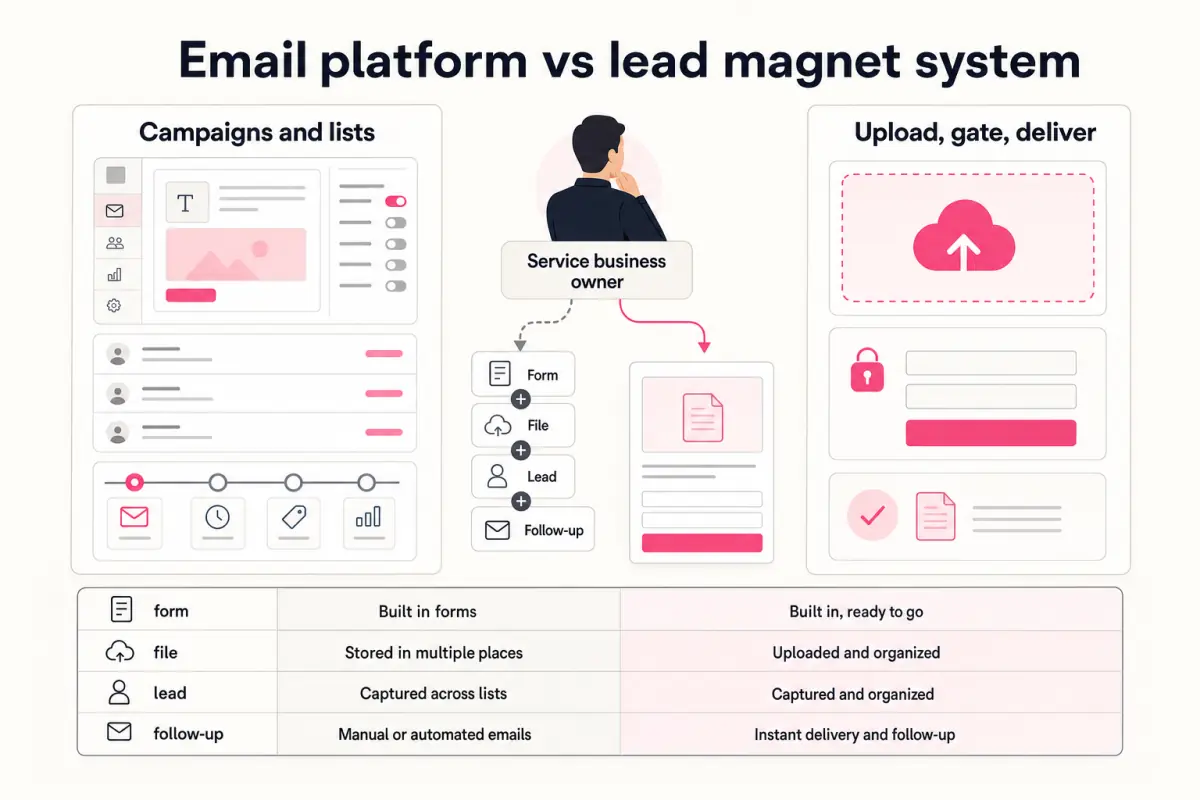
Mailchimp is built for email marketing. It can help businesses collect subscribers, create forms, publish landing pages, segment audiences, and send campaigns. That breadth is useful when a business is ready to manage an email marketing system.
Givloh is built for one narrower job: helping service businesses capture leads from resources they share on social media. The business uploads a checklist, guide, template, or tool, publishes a page, captures the email before download, and sees the lead in a dashboard.
So the question is not which product has more features. The question is which path gets a busy service business from "I have a useful PDF" to "I captured a lead" with the least setup.
Use the comparison frame correctly
- Mailchimp is broad email marketing infrastructure.
- Givloh is focused lead magnet capture and delivery.
- A service business may need both later, but it does not need complexity on day one.
Where Mailchimp fits
Mailchimp fits when the business wants to manage a wider email marketing operation. That may include newsletters, campaigns, automations, contact segmentation, branded forms, and landing pages.
If the business already understands email marketing and has the time to configure forms, pages, audiences, delivery emails, tags, and follow-up campaigns, Mailchimp can be a capable part of the stack.
The risk for a small service business is setup drag. The owner starts with a simple goal, then has to make several marketing-system decisions before the first resource is live.
Mailchimp usually means deciding
- Which audience or list should receive the subscriber.
- Which form or landing page should collect the email.
- How the resource is delivered after signup.
- Which tags or segments matter later.
- Which emails should be sent after the download.
Where Givloh fits
Givloh fits when the business wants the resource to be the lead capture system. A plumber, accountant, mortgage broker, recruiter, roofer, or physio should not need to assemble a marketing stack before they can test a free checklist.
The setup is intentionally smaller: upload the file, write the resource title, share one link, and collect the email before delivery. For a file-sharing comparison, see Google Drive vs Givloh for lead magnets.
The narrowness is the point. The owner gets the lead magnet live quickly and can decide later whether they need a broader email platform.
The best tool is the one the business owner actually finishes setting up.
Givloh editorial note
Comparison table
| Need | Mailchimp | Givloh |
|---|---|---|
| Build a full email marketing system | Strong fit | Not the main job |
| Publish a simple lead magnet page | Possible with setup | Core workflow |
| Deliver a free PDF after email capture | Requires configuration | Core workflow |
| Help a service business launch in minutes | Depends on setup knowledge | Built for this path |
| Manage newsletters and campaigns | Strong fit | Not the main job |
Which should you choose?
Choose Mailchimp when the business is ready to run ongoing email campaigns and wants a broader email marketing platform.
Choose Givloh when the immediate job is simpler: turn a PDF, checklist, guide, template, or tool into a social lead capture page. The first win is not a complex campaign. It is the first named lead from a resource.
Use this as the starting checklist
- Define the immediate job before choosing software.
- Use Mailchimp when you need broader email marketing infrastructure.
- Use Givloh when the first goal is email-gated file delivery.
- Avoid building a stack before proving the resource works.
- Review lead quality before adding more automation.
References and useful next reading
Givloh
Turn the resource into a lead capture page.
Upload a guide, checklist, template, or tool. Share one link. Capture the email before the download. No Mailchimp, Zapier, Drive permissions, or landing page builder.
Try Givloh freeFAQ
Can Mailchimp be used for lead magnets?
Yes. Mailchimp has signup forms and landing pages, but a service business still needs to configure the capture, delivery, and follow-up flow.
What does Givloh do differently from Mailchimp?
Givloh focuses on email-gated resource pages for service businesses: upload a file, share one link, deliver the resource, and save the lead.
Should a small service business start with Mailchimp or Givloh?
If the immediate goal is to test one free checklist or guide from social media, Givloh is the simpler starting point. Mailchimp can make sense later for broader campaigns.