
Tool comparisons · 8 min read
Paperform vs Givloh for Lead Magnets
A plain-English comparison of Paperform and Givloh for service businesses that want to publish one email-gated checklist, guide, worksheet, or template.
- Paperform is a flexible form builder that can support many form and workflow use cases.
- Givloh is narrower: it is built for service businesses that want to publish a lead magnet page, capture an email, deliver the file, and see the lead.
- Use Paperform when the form itself needs flexibility. Use Givloh when the main job is email-gated resource delivery from one public link.
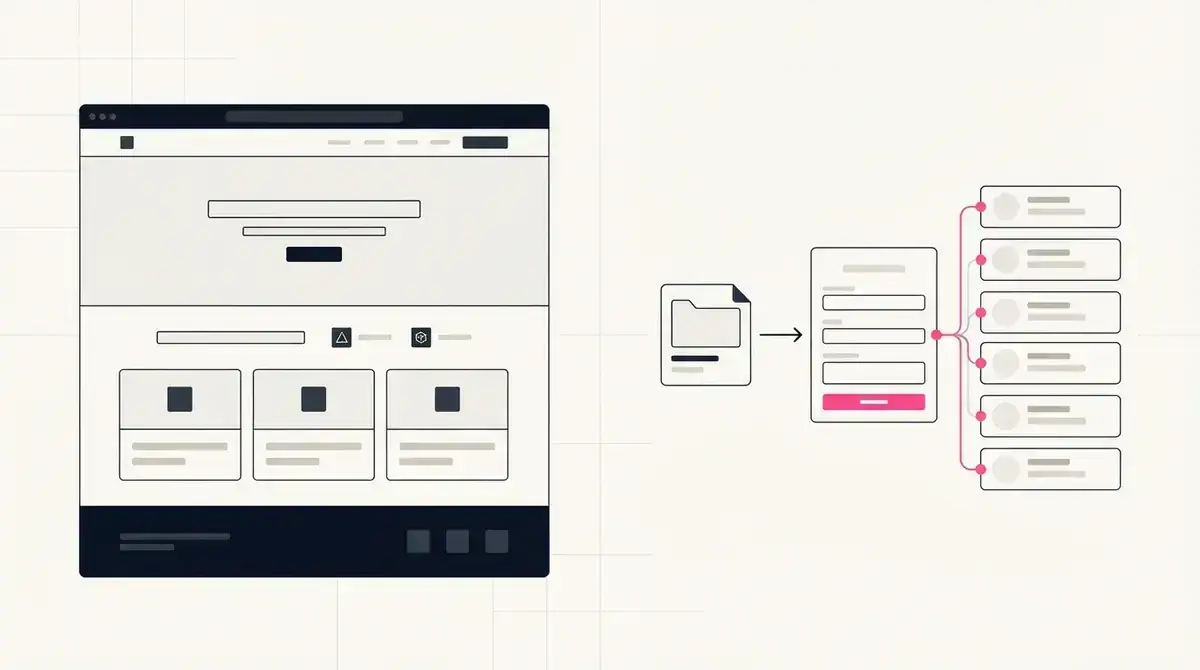
The practical difference
Paperform and Givloh can both sit near a lead capture workflow, but they are not built for the same job. Paperform is a broader form builder. Givloh is a focused lead magnet system for service businesses.
If a business needs a custom form, quiz, payment flow, booking intake, survey, or multi-purpose data collection page, a form builder may make sense. The team can shape the form around the workflow.
If the business has one PDF, checklist, guide, worksheet, or template and wants to capture an email before delivering it, the form is only one part of the job. The business also needs the page, file delivery, lead storage, and a link it can confidently share.
The job behind a lead magnet
- Explain the resource clearly on a public page.
- Ask for a short email capture before download.
- Deliver the file automatically.
- Store the lead with the resource requested.
- Give the business one link for social, referral, QR, and email channels.
Where Paperform can be the better fit
Paperform can be useful when the form experience itself needs more control. A business may want conditional questions, calculations, payments, detailed intake, surveys, quizzes, or a form that feeds a broader workflow.
Paperform's own help center presents it as a way to create forms, and its setup guides focus on form creation and configuration. That is useful when form design is the main requirement.
For a service business with someone comfortable configuring tools, Paperform can support more than a simple lead magnet path.
Choose Paperform when
- The form needs custom fields, longer intake, conditional logic, or calculations.
- The workflow includes surveys, quizzes, payments, booking detail, or internal routing.
- The team already has a separate file delivery and follow-up system.
- Someone owns setup, testing, and ongoing maintenance.
- The business needs a general form platform, not only a lead magnet page.
Where Givloh is simpler
A first lead magnet should usually be simple. A plumber checklist, accountant records sheet, solicitor first-consultation prep guide, web designer audit checklist, or consultant worksheet should not require a stack of separate tools before it can collect leads.
Givloh is built for that narrow path. Upload the resource, publish the page, share one link, capture the email before download, and see the lead in the dashboard.
For similar form-tool decisions, read Tally Forms vs Givloh for lead magnets and Google Forms vs Givloh for lead capture.
If the resource is the offer, the system should make the resource easy to request and easy to follow up.
Givloh editorial note
How to choose
Choose Paperform if the business needs a flexible form experience and already has a plan for the landing page, file delivery, storage, and follow-up. It can be the right tool when the form is part of a wider process.
Choose Givloh if the business wants to test one practical resource from Instagram, LinkedIn, Facebook, Google Business Profile, email signatures, referral links, or QR codes without setting up a larger system.
The useful question is simple: does the owner need a configurable form, or do they need a working lead magnet link?
Choose Givloh when
- The offer is a checklist, guide, worksheet, template, or planning resource.
- The page should explain one resource clearly.
- Email capture and file delivery should be automatic.
- The lead should be tied to the resource requested.
- The business wants to publish today without connecting multiple tools.
Use this as the starting checklist
- Use Paperform when the form needs flexibility or the workflow is broader than one resource.
- Use Givloh when the main job is email-gated file delivery from one public page.
- Check whether file hosting, page copy, delivery, and lead storage are already solved.
- Keep the first service-business lead magnet short and easy to request.
- Choose the system the owner can publish and maintain without extra setup.
References and useful next reading
Givloh
Turn the resource into a lead capture page.
Upload a guide, checklist, template, or tool. Share one link. Capture the email before the download. No Mailchimp, Zapier, Drive permissions, or landing page builder.
Try Givloh freeFAQ
Can Paperform be used for lead magnets?
Yes. Paperform can support lead capture forms, especially when the business needs a flexible form or broader workflow. The business still needs to handle the resource page, file delivery, and follow-up path.
Does Givloh replace Paperform?
No. Givloh is focused on one workflow: publish a lead magnet page, capture the email, deliver the file, and show which resource created the lead.
Which is simpler for a first service-business lead magnet?
Givloh is usually simpler when the business wants to publish one email-gated checklist, guide, worksheet, or template quickly. Paperform may fit better when the form needs custom configuration.