
Tool comparisons · 8 min read
Spreadsheet vs Givloh for Lead Magnet Tracking
A practical comparison for service businesses deciding whether a spreadsheet is enough for tracking lead magnet downloads and follow-up.
- A spreadsheet is useful after a lead exists, especially for notes, manual qualification, and simple reporting.
- Givloh is better for the front door: a public resource page, email capture before download, automatic file delivery, and lead context by resource.
- A service business can still export or review leads later, but the public lead magnet flow should not depend on manually updating a sheet.
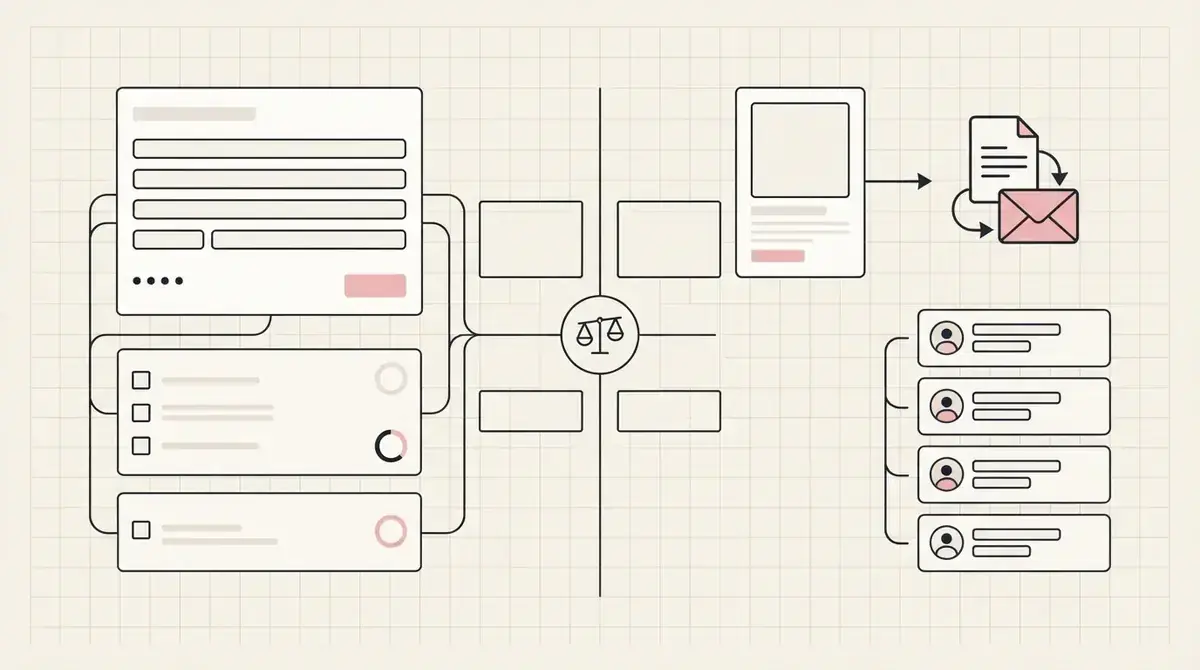
The spreadsheet is not the capture system
Spreadsheets are good for organising information. They are not, by themselves, a public lead capture page, an email gate, or a file delivery workflow.
A service business can use a sheet to review leads after the fact. But if the social bio link sends people to a file, form, or manual process, the business still has to handle the page, permission, delivery, and follow-up work.
For a file-hosting comparison, see Google Drive vs Givloh for lead magnets.
Use a spreadsheet when
- The lead has already been captured somewhere else.
- The business wants manual notes or qualification fields.
- A small team needs a simple shared view of enquiries.
- The workflow is internal rather than a public resource download.
- The business exports leads for occasional review.
Where Givloh fits better
Givloh handles the public moment. The visitor sees a focused resource page, enters an email, receives the file, and becomes a named lead attached to the resource they requested.
That resource context matters. A roofer can tell the difference between a roof maintenance checklist lead and a storm damage checklist lead. A consultant can tell the difference between a pricing guide lead and a project brief lead.
A spreadsheet can store that information later, but it should not be the thing a social visitor has to understand.
A sheet can organise leads. It does not create the lead magnet experience.
Givloh editorial note
Compare the workflow
| Job | Spreadsheet | Givloh |
|---|---|---|
| Store lead notes | Strong fit | Basic lead context built in |
| Public resource page | Not the job | Built for this |
| Capture email before download | Requires another tool | Built into the flow |
| Deliver the file automatically | Requires setup | Built into the flow |
| Track which resource created the lead | Manual unless connected | Native to the workflow |
| Share one bio link | Awkward for visitors | Designed for social profiles |
Simple decision rule
- Use Givloh for the public lead magnet page and email-gated delivery.
- Use a spreadsheet only if the business wants extra manual notes later.
- Keep the first form short so more visitors complete the exchange.
- Review leads by resource topic before deciding follow-up.
- Avoid making social visitors interact with internal tracking tools.
Avoid manual tracking as the first system
Manual tracking fails when the business gets busy. Someone has to check the form, copy the email, send the file, update the row, remember the topic, and follow up. That is too much work for a simple free checklist.
Google's documentation for sharing spreadsheets is useful when a team needs collaboration. It does not solve public lead capture by itself.
For service businesses, the better split is clear: Givloh captures and delivers, then any optional spreadsheet work happens after the lead exists.
Best combined setup
- Givloh for the public page, email gate, file delivery, and lead list.
- Spreadsheet for optional internal review or manual qualification.
- One resource per campaign so source context stays clear.
- Short first follow-up tied to the downloaded resource.
- Responsible email handling and consent records.
Use this as the starting checklist
- Do not make a spreadsheet the public lead magnet experience.
- Use Givloh for email-gated delivery and resource-level lead context.
- Use spreadsheets only for optional notes, exports, or manual review.
- Keep the public exchange simple: email first, file delivered automatically.
- Follow up based on the resource the person requested.
References and useful next reading
Givloh
Turn the resource into a lead capture page.
Upload a guide, checklist, template, or tool. Share one link. Capture the email before the download. No Mailchimp, Zapier, Drive permissions, or landing page builder.
Try Givloh freeFAQ
Can a spreadsheet track lead magnet downloads?
It can track leads manually or after export, but it does not create the public resource page, email capture, file delivery, or resource-specific follow-up flow.
When is Givloh better than a spreadsheet?
Givloh is better when a service business wants to share a guide, checklist, or template from social media and capture the email before delivering the file.
Can a business use both?
Yes. Givloh can capture and deliver the lead magnet, while a spreadsheet can be used later for internal notes, exports, or manual qualification.