
Lead magnet strategy · 8 min read
How to Use a Webinar Replay as a Lead Magnet
A practical guide for service businesses turning a workshop, webinar, or recorded advice session into an email-gated resource that creates follow-up leads.
- A webinar replay works best as a lead magnet when it solves one narrow service question, not when it tries to be a full sales presentation.
- Gate the replay behind a simple email form, then follow up based on the exact problem the session covered.
- The replay page should include a short summary, who it helps, what the viewer will learn, and a clear next step after watching.
Choose one replay with a clear service problem
A recorded workshop or webinar can keep producing leads after the live session ends, but only if the topic is specific enough for a busy prospect to understand quickly.
A broad replay such as a full annual update is harder to promote. A focused replay such as first-time buyer mistakes, tax-season document prep, winter roof warning signs, or hiring checklist basics gives the audience a sharper reason to request access.
The best replay answers a question your team already hears before a sale. That makes the resource useful before the prospect is ready to book a call.
Good replay topics
- A common mistake prospects make before contacting you.
- A preparation session for a first appointment or consultation.
- A seasonal checklist tied to a predictable service need.
- A recorded Q&A that explains a complicated buying decision.
- A short walkthrough of how to prepare for a quote, review, or visit.
Package the replay as a resource, not a broadcast
A replay page needs more than a video embed. The visitor should see why the session matters, who it is for, and what they will be able to do after watching it.
Keep the page plain: title, short summary, email form, replay delivery, and a simple follow-up path. Do not bury the resource under event copy that no longer matters after the live date has passed.
If the replay has a worksheet or checklist, deliver both together. That gives the viewer a practical reason to save the email and gives your team a stronger follow-up angle.
A replay becomes a lead magnet when it helps the prospect make progress before they speak to you.
Givloh editorial note
Share it from the places where trust already exists
Replay lead magnets are useful on LinkedIn, Instagram, Facebook, email signatures, partner newsletters, and post-event follow-up. The channel matters less than the fit between the topic and the audience.
A financial adviser might share a pension planning replay from LinkedIn. A clinic might share a pre-appointment education session from Instagram. A home service business might share a maintenance workshop replay from Facebook and Google Business Profile posts.
For a wider resource system, see how to build a lead magnet library for a service business.
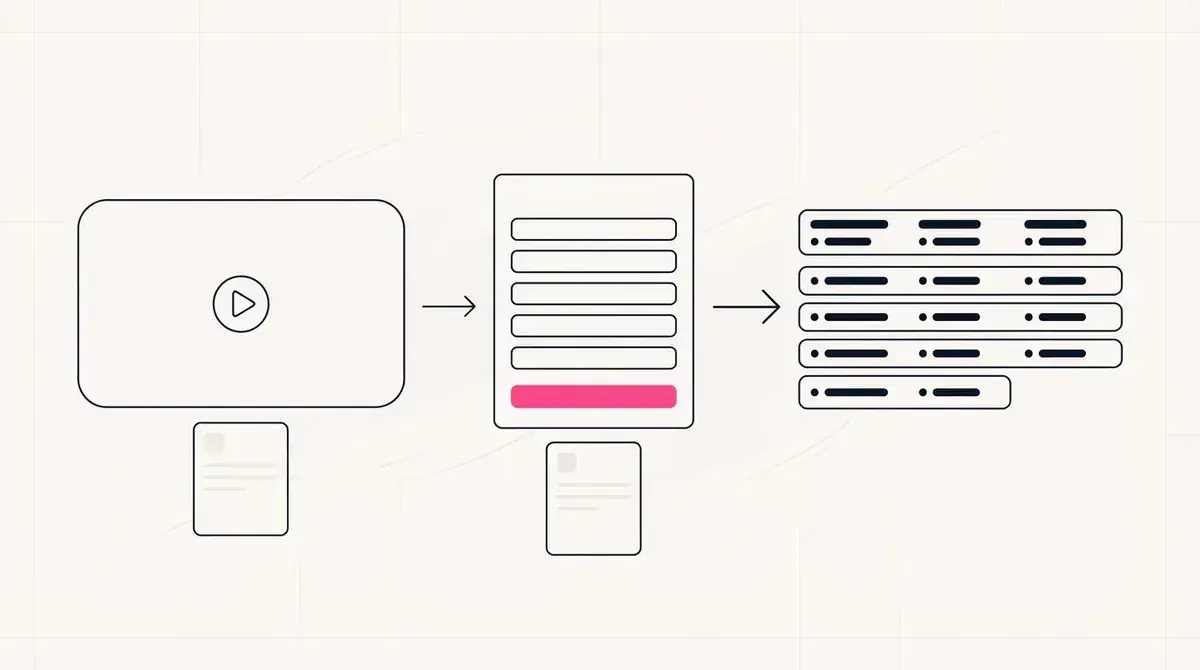
Simple replay workflow
- Pick one useful recorded session.
- Write a short resource page around the replay.
- Gate access with an email form.
- Deliver the replay and any worksheet automatically.
- Follow up with one question tied to the session topic.
Follow up based on the subject of the replay
A replay download is not a generic newsletter signup. It tells you the person is interested in the specific problem covered by that session.
The first follow-up should reference the replay and ask a useful next question. For example: "Are you trying to plan this for yourself, or are you comparing options before choosing a provider?"
If you publish several replays, segment leads by resource download so each contact gets a relevant response.
Useful replay signals
- Topic requested: what problem the prospect is researching.
- Replay plus worksheet: stronger preparation intent.
- Partner-share source: possible referral context.
- Seasonal topic: likely time-sensitive service need.
- Multiple replay requests: broader buying research.
Use this as the starting checklist
- Choose one replay with a narrow service problem.
- Write a clear summary and who-it-is-for section.
- Gate replay access with a simple email form.
- Deliver any worksheet or checklist alongside the video.
- Follow up with a question tied to the replay topic.
References and useful next reading
Givloh
Turn the resource into a lead capture page.
Upload a guide, checklist, template, or tool. Share one link. Capture the email before the download. No Mailchimp, Zapier, Drive permissions, or landing page builder.
Try Givloh freeFAQ
Can a webinar replay be a lead magnet?
Yes. A webinar replay can be a strong lead magnet when it answers a specific prospect question and is delivered after an email signup.
Should a replay page include a long sales pitch?
No. Keep the page focused on the useful resource, the problem it helps with, and the next step after the viewer has watched it.
What should I send after someone requests a webinar replay?
Send the replay link, any worksheet or checklist, and one relevant follow-up question based on the topic they requested.