
Offline lead capture · 7 min read
How to Use QR Codes With Service Business Lead Magnets
A practical guide to using QR codes on vans, flyers, waiting-room signs, and printed material to send people to an email-gated lead magnet.
- A QR code works best when it points to one useful resource, not a crowded homepage.
- Service businesses can use printed QR codes to turn van signage, appointment cards, flyers, and waiting-room material into measurable lead capture points.
- The page behind the QR code should explain the resource, capture an email, deliver the file automatically, and show the business which leads came from that offer.
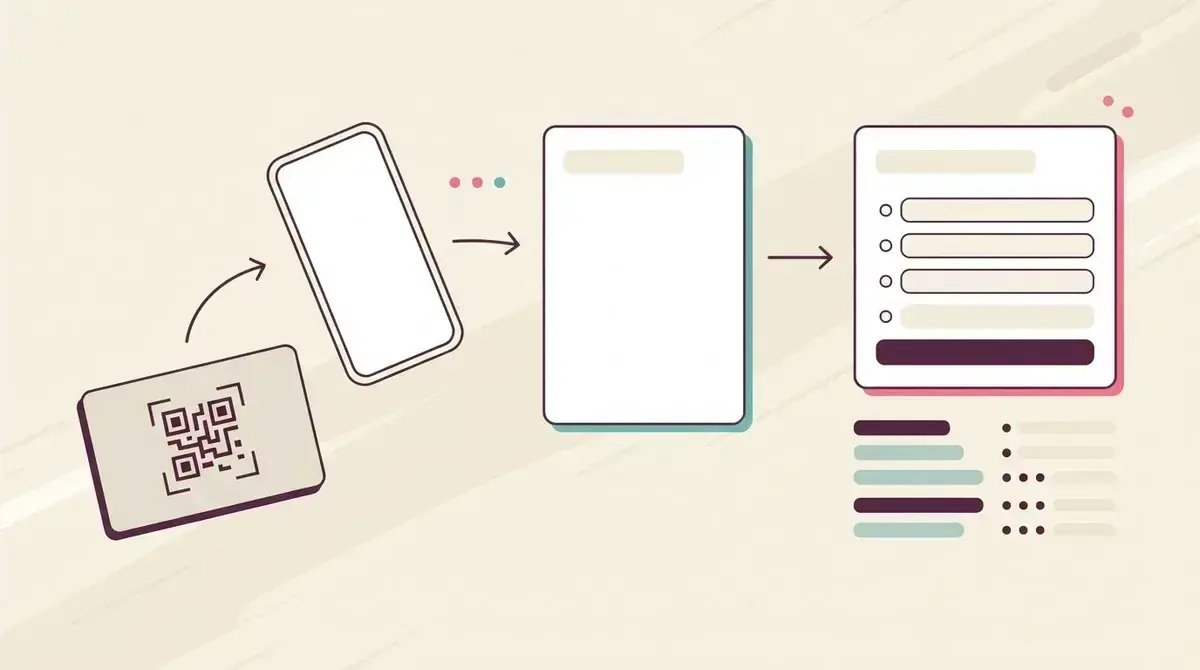
Use the QR code as a bridge, not the offer
A QR code is only useful if the page behind it gives people a clear reason to act. Sending someone to a homepage usually creates a vague visit. Sending them to a specific checklist, guide, or worksheet creates a lead capture moment.
For a cleaner, that might be an end-of-tenancy checklist on a flyer. For an HVAC company, it might be a maintenance checklist on a service sticker. For a dental clinic, it might be a pre-appointment guide on a reception sign.
The QR code should make the next step easier for someone who already saw the business offline. The resource does the persuading; the code just removes the typing.
Good QR code placements
- Vehicle decals that point to a homeowner checklist.
- Appointment cards that point to a preparation guide.
- Reception signs that point to a new-client resource.
- Flyers that point to a seasonal maintenance checklist.
- Event handouts that point to a follow-up worksheet.
Pick a resource that fits the physical context
The best resource is tied to where the QR code appears. A generic brochure does not feel worth scanning. A useful checklist that matches the moment does.
If the code is on a plumber's van, offer a short home leak warning checklist. If it is on a mortgage broker's seminar handout, offer a first-time buyer document checklist. If it is on a physiotherapy clinic sign, offer a pre-appointment preparation sheet.
If the business is still choosing the first resource, start with how to choose a lead magnet for a service business.
Simple setup
- Choose one offline placement.
- Match it to one customer problem.
- Create a short checklist or guide.
- Send the QR code to the lead capture page.
- Review which leads came from that resource.
Make the landing page short and trustworthy
Someone scanning from a poster or handout is usually on a phone. The page should load quickly, explain the resource in plain language, and ask for only the details needed to deliver it.
Avoid turning the page into a full sales pitch. The person scanned because the resource seemed useful. Confirm what they get, collect the email, and deliver it immediately.
A focused page also makes follow-up easier. The business knows exactly what the person requested and can send a relevant next step instead of a generic newsletter.
The QR code gets attention from offline material. The email-gated resource turns that attention into a contactable lead.
Givloh editorial note
Track the offer, not just the scan
A scan count can be interesting, but the useful business question is whether people became leads. That is why the QR code should point to a resource page with email capture, not a public PDF.
Use a separate resource page for important placements when possible. A clinic reception sign, a trade-show flyer, and an Instagram bio link might all offer different resources because the visitor context is different.
The same principle applies online. The one-resource bio link system keeps attention focused so the business can learn what actually generates enquiries.
What to review
- Which resource was requested.
- Where the QR code was placed.
- How many named leads arrived.
- Whether follow-up created useful conversations.
- Whether the printed material needs a clearer promise.
Use this as the starting checklist
- Choose one offline placement first.
- Offer a resource that matches that physical context.
- Point the QR code to an email-gated page, not a public file.
- Keep the mobile page short and clear.
- Track leads by resource so follow-up is specific.
References and useful next reading
Givloh
Turn the resource into a lead capture page.
Upload a guide, checklist, template, or tool. Share one link. Capture the email before the download. No Mailchimp, Zapier, Drive permissions, or landing page builder.
Try Givloh freeFAQ
Should a QR code point to a service business homepage?
Usually not. It is better to point the QR code to one useful resource, such as a checklist or guide, so the visitor has a clear reason to leave an email.
What should a service business offer behind a QR code?
Offer a practical checklist, preparation guide, worksheet, or seasonal maintenance resource tied to the place where the QR code appears.
Can QR codes help capture leads offline?
Yes, when the QR code sends people to an email-gated resource page and the business follows up based on the specific resource requested.