
Google Business Profile strategy · 7 min read
Google Business Profile Lead Magnet Strategy for Fence Installers
A practical Google Business Profile strategy for fence installers that want to turn local repair and replacement searches into checklist downloads and email leads.
- Fence installers can use Google Business Profile updates to promote a useful repair checklist, not just a phone number or quote form.
- The checklist gives local search visitors a lower-friction next step when they are comparing repair, replacement, and contractor options.
- Givloh turns that traffic into email leads by gating the checklist and keeping downloads visible in one dashboard.
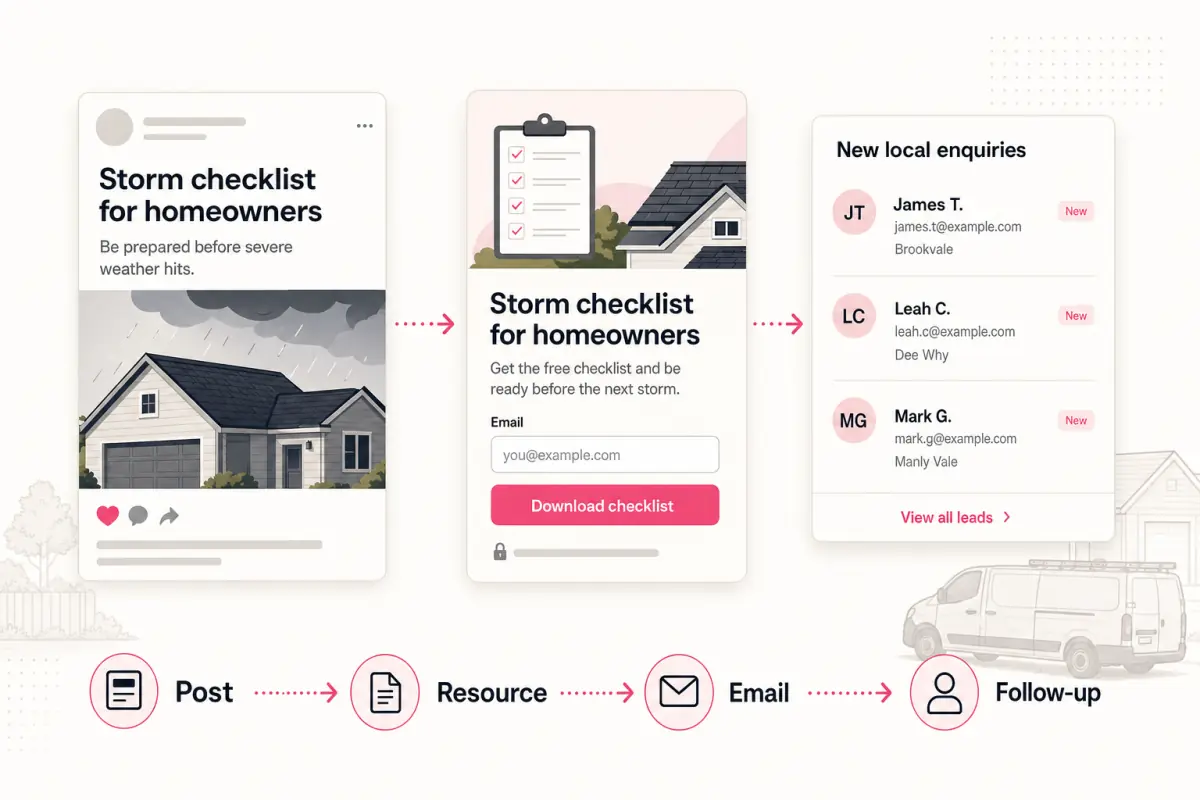
Use the profile for more than contact details
A Google Business Profile is often where local fence enquiries begin. The visitor may be checking service area, photos, reviews, opening hours, and whether the business handles repair, replacement, gates, or full installations.
That visitor may not be ready to call immediately. A checklist gives them a smaller next step: collect photos, note the damage, and understand what the contractor will need for a useful quote.
Google's own help material explains that Business Profile updates can be used for announcements, offers, events, and updates. A free checklist fits the same practical profile-update pattern when it helps a local customer take the next step.
Strong checklist angles for profile updates
- Fence damage checklist after high winds.
- Repair or replace checklist for homeowners.
- Gate problem checklist before booking a visit.
- Garden renovation fence planning checklist.
- Rental property fence condition checklist.
Write updates that match local intent
The update should not read like a generic marketing post. It should match the reason someone is viewing a local fence business: damage, maintenance, replacement, boundary concerns, access, or a planned garden project.
A plain update works: 'Before you request a fence repair quote, use our free checklist to collect the photos and details we need.' Then link to the Givloh page that gates and delivers the checklist.
For the checklist itself, read free fence repair checklist for fence installers.
Simple update workflow
- Choose one checklist tied to repair or replacement intent.
- Publish it through Givloh.
- Add the link to a profile update where appropriate.
- Use photos that show real work and service area fit.
- Follow up with downloaders while the issue is fresh.
Route checklist leads into quote conversations
The checklist should not replace the quote process. It should prepare the customer for it. After the download, ask for location, photos, rough measurements, access details, and whether the work is urgent or planned.
That makes the quote request better for both sides. The customer feels less uncertain, and the fence business can decide whether to offer rough guidance, ask more questions, or book a site visit.
For the decision between a direct quote form and a gated resource, read fence quote form vs Givloh.
Local search traffic should not disappear just because the visitor was not ready to call today.
Givloh editorial note
Measure what the profile is really doing
Phone calls and direction requests are useful, but they do not show every early-stage lead. Checklist downloads add another signal from people who are interested but still deciding.
Track downloads by resource, replies with photos, quote requests, site visits, and booked jobs. Over time, the business can see whether repair checklists, replacement guides, or seasonal reminders produce better conversations.
For the broader local workflow, read how to turn a service area guide into a lead magnet.
Practical metrics
- Profile update clicks to the checklist page.
- Checklist downloads.
- Replies with photos or measurements.
- Quote requests and site visits.
- Repair or installation jobs booked.
Use this as the starting checklist
- Choose one checklist for a clear local fence problem.
- Publish the checklist as an email-gated Givloh page.
- Promote it through a relevant Google Business Profile update.
- Follow up with photo, measurement, access, location, and urgency questions.
- Measure downloads, replies, quote requests, site visits, and booked jobs.
References and useful next reading
Givloh
Turn the resource into a lead capture page.
Upload a guide, checklist, template, or tool. Share one link. Capture the email before the download. No Mailchimp, Zapier, Drive permissions, or landing page builder.
Try Givloh freeFAQ
Can fence installers use Google Business Profile for lead magnets?
Yes. A fence installer can link a useful checklist from an appropriate profile update, then use Givloh to capture the email before delivering the file.
What lead magnet works best from Google Business Profile?
A fence repair or repair-versus-replace checklist works well because it matches local search intent and helps homeowners prepare for a quote.
Should the profile link go to a quote form or checklist?
Use a quote form for ready buyers. Use a checklist when the visitor is still assessing damage, comparing options, or gathering details.