
Lead magnet comparisons · 8 min read
CRM Form vs Givloh for Lead Magnets
A plain-English comparison for service businesses deciding whether to use a generic CRM form or Givloh for email-gated lead magnet delivery.
- A CRM form can capture contact details, but it may not handle the whole lead magnet workflow by itself.
- Givloh is narrower: upload the resource, publish the page, capture the email, deliver the file, and store the lead against the resource.
- Use a CRM form when the business already has delivery, tagging, file hosting, and follow-up connected; use Givloh when the lead magnet workflow needs to work quickly.
What a CRM form does well
A CRM form is useful when the business already runs its sales process inside a CRM. It can capture fields, create a contact, assign an owner, and trigger internal follow-up rules.
That can be the right choice for a larger team with an existing system. The form fits into their pipeline and keeps enquiry records in one place.
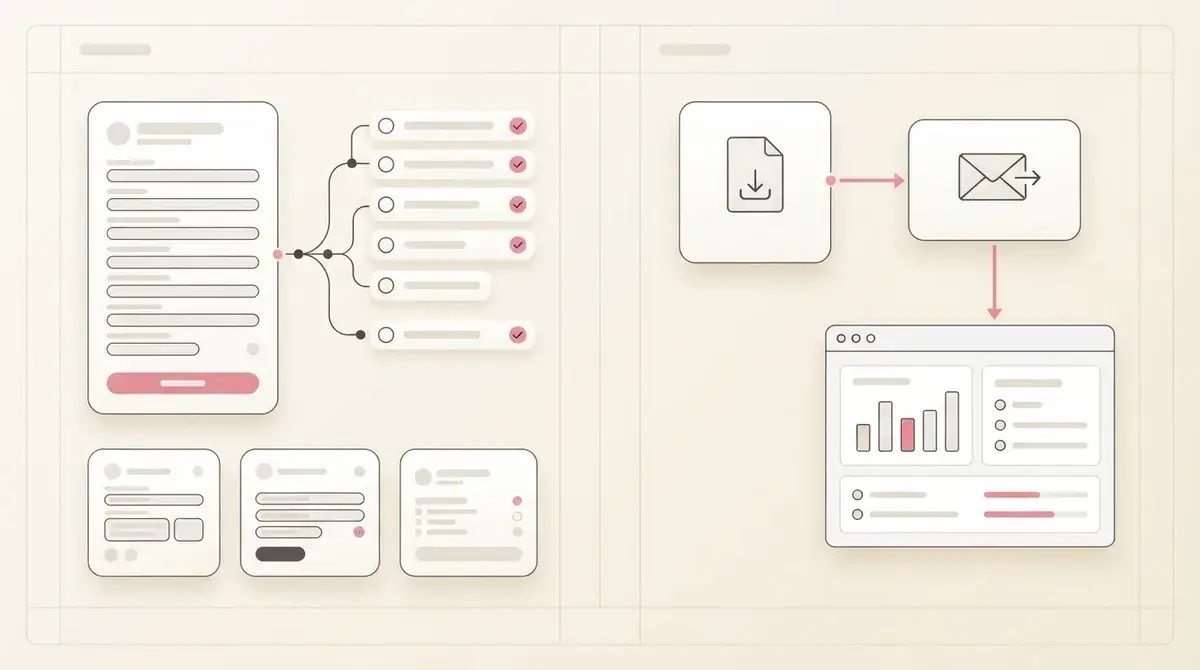
The issue for many owner-led service businesses is that the form is only one part of the lead magnet workflow. The business still needs a page, a file host, a delivery email, a clear resource preview, and a way to know which download caused the lead.
A CRM form fits when
- The business already uses the CRM every day.
- File delivery is already automated.
- The resource page already exists.
- The team needs detailed routing rules.
- The form data must immediately enter a broader sales pipeline.
Where CRM forms get heavy for lead magnets
For a simple checklist or PDF, a CRM form can create more setup than the resource justifies. Someone still has to design the page, host the PDF, write the delivery email, test permissions, connect tags, and check that the visitor receives the file.
That is why small service businesses often start the project and never finish it. The business wanted to share one useful resource from a social bio link, but the setup became a mini systems project.
A similar issue appears in Zapier vs Givloh for lead magnet delivery.
Hidden setup checklist
- Build or choose the landing page.
- Create the CRM form and fields.
- Host the PDF somewhere reliable.
- Connect the thank-you or delivery email.
- Test whether the lead record shows which file was requested.
What Givloh is built to replace
Givloh is built for the narrower job of turning a resource into a lead capture page. The business uploads the file, publishes the page, captures the email, delivers the resource, and sees the lead in the dashboard.
It is not trying to replace every CRM. It replaces the stack of small tools a service business would otherwise need before a CRM even receives a useful lead.
For businesses still deciding whether the resource should be public or gated, the website download page vs Givloh comparison is the next useful read.
A CRM form can store the lead. Givloh is designed to create the lead from the resource request.
Givloh editorial note
How to choose
Use the CRM form if the team already has a working CRM process, a page, file delivery, tagging, and follow-up rules. In that case, the lead magnet can become one more intake path.
Use Givloh if the business wants to test a resource quickly from Instagram, LinkedIn, Facebook, QR codes, referral emails, or an email signature without connecting several tools first.
The practical test is whether a new checklist can be live today and whether the owner can see the named lead after the download.
Choose Givloh when
- The resource is a checklist, guide, template, or worksheet.
- The business wants one link for social and referral traffic.
- File delivery should happen automatically.
- The owner does not want to build a separate page and automation.
- The lead should be tied to the resource requested.
Use this as the starting checklist
- Use a CRM form when the wider CRM workflow is already active.
- Use Givloh when the business needs the resource, page, email gate, delivery, and lead list in one place.
- Check whether file delivery is automatic before choosing a CRM form.
- Check whether the lead record shows which resource was requested.
- Start with the simplest setup that can be tested from one social link.
References and useful next reading
Givloh
Turn the resource into a lead capture page.
Upload a guide, checklist, template, or tool. Share one link. Capture the email before the download. No Mailchimp, Zapier, Drive permissions, or landing page builder.
Try Givloh freeFAQ
Can a CRM form be used for lead magnets?
Yes, if the business already has a landing page, file hosting, delivery email, tagging, and follow-up connected. Without those pieces, the form alone is usually not enough.
Does Givloh replace a CRM?
No. Givloh is focused on the lead magnet workflow: hosting the resource page, capturing the email, delivering the file, and showing which resource created the lead.
Which option is simpler for a small service business?
Givloh is usually simpler for a first lead magnet because it avoids connecting a separate form, file host, page builder, delivery email, and automation tool.