
Lead magnet comparisons · 8 min read
Microsoft OneDrive vs Givloh for Lead Magnets
A plain-English comparison for service businesses deciding between a Microsoft OneDrive sharing link and Givloh for lead magnet delivery and capture.
- Microsoft OneDrive is useful for storing and sharing files. A sharing link can provide access, but file access alone is not a complete lead magnet workflow.
- Givloh is built for the narrower service-business job: present one resource, capture the visitor's email, deliver the file automatically, and record the lead in a dashboard.
- Use OneDrive when you mainly need storage or direct file sharing. Use Givloh when the download should create a named lead and a clear follow-up opportunity.
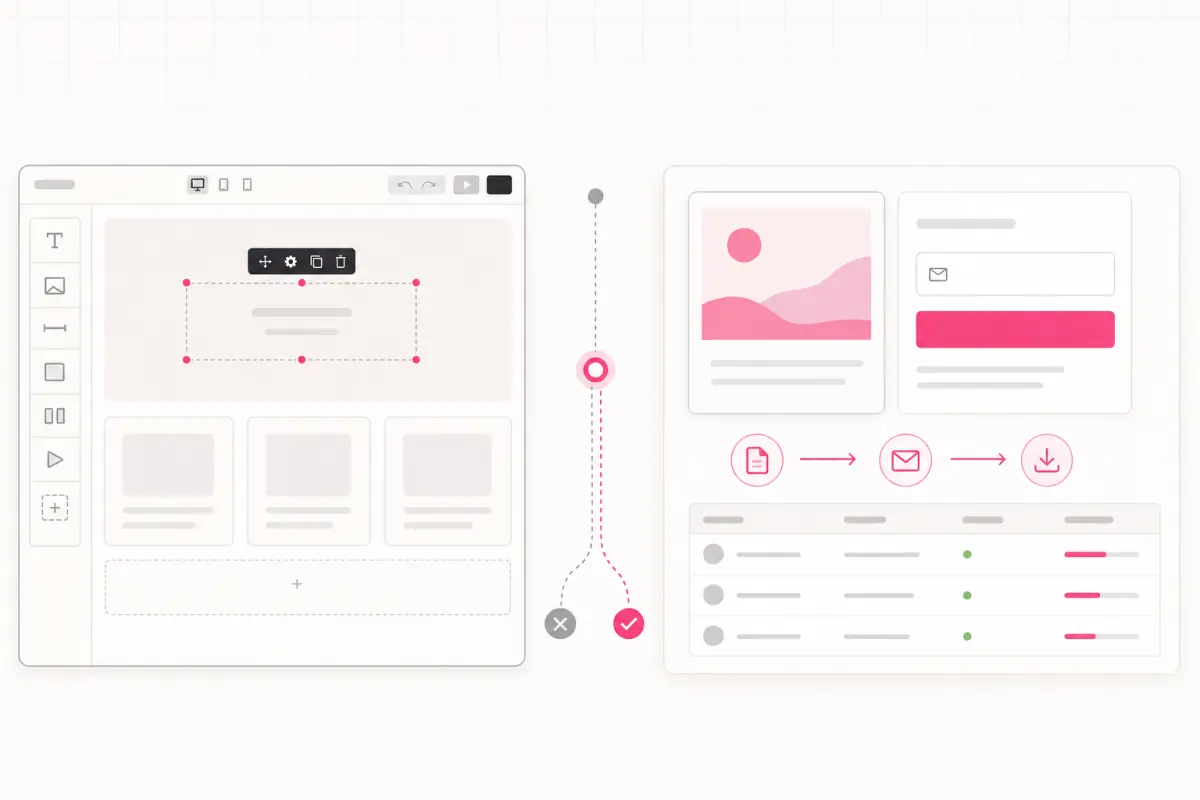
OneDrive solves file access
Microsoft OneDrive lets a business store files and share them through links or direct access. That is useful for internal documents, client collaboration, and sending files to people the business already knows.
A public lead magnet has an additional job. Before the file is delivered, the page needs to explain why it is useful and capture the person who requested it.
That is the core distinction: OneDrive can share the document, while Givloh is designed around the resource-to-lead journey.
Use OneDrive when
- The recipient is already known to the business.
- The main need is storage, syncing, or collaboration.
- The file belongs inside an existing Microsoft workflow.
- The business does not need a public capture page.
- Lead attribution and automatic resource delivery are not the goal.
A lead magnet needs more than a share link
A share link answers: can this person open the file? A lead magnet system also needs to answer: who requested it, which resource interested them, and what should happen next?
Sending social visitors directly to a file can produce anonymous access with no context for follow-up. Adding a separate form can capture details, but then the owner has to connect the form, permissions, delivery, and lead storage.
Givloh combines the hosted resource page, email gate, file delivery, and lead list in one service-business workflow.
Two different workflows
- OneDrive: upload a file and create access for a recipient or link.
- OneDrive plus other tools: add a page, form, delivery step, and lead list separately.
- Givloh: upload the resource and publish one capture page.
- The visitor enters an email before the file is delivered.
- The business sees a named lead tied to that resource.
Choose based on what should happen after the click
OneDrive may be enough when an accountant sends a known client a document or a consultant shares a working file with an existing project team.
Givloh is the better fit when a roofer offers a maintenance checklist from Instagram, a web designer shares a website planning guide, or a landscaper puts a consultation worksheet behind a QR code and wants to capture the enquiry.
For another storage-tool comparison, read Google Drive vs Givloh for lead magnets.
The question is not only where the PDF lives. It is whether the download creates a lead the business can act on.
Givloh editorial note
Keep permissions and follow-up clear
When OneDrive is used for direct sharing, the business should review the sharing option and intended audience before sending the link. Microsoft's official support explains the available sharing workflow and permissions.
When Givloh is used for a public resource, the page should make the exchange clear: enter an email to receive this specific file. Any additional marketing permission should be presented separately and handled according to the rules that apply to the business and recipient.
For practical follow-up, see lead magnet follow-up email for service businesses.
Use Givloh when you want
- A focused public page for one resource.
- Email capture before file delivery.
- Automatic delivery without a manual reply.
- A lead list tied to the requested resource.
- One link for social profiles, posts, referrals, and QR codes.
Use this as the starting checklist
- Use OneDrive for storage, collaboration, and direct file sharing.
- Use Givloh when a public resource download should create a lead.
- Check OneDrive sharing permissions before distributing a link.
- Keep the lead magnet page focused on one resource and one action.
- Separate resource delivery from any optional marketing permission.
References and useful next reading
Givloh
Turn the resource into a lead capture page.
Upload a guide, checklist, template, or tool. Share one link. Capture the email before the download. No Mailchimp, Zapier, Drive permissions, or landing page builder.
Try Givloh freeFAQ
Can Microsoft OneDrive host a lead magnet?
OneDrive can host and share the file, but a sharing link alone does not provide the focused capture page, email gate, automatic lead record, and resource-level follow-up workflow.
When is OneDrive enough for file delivery?
It may be enough when the recipient is already known and the business mainly needs storage, collaboration, or direct access rather than public lead capture.
Why use Givloh instead of a OneDrive link for a lead magnet?
Givloh lets a service business present the resource, capture the email before download, deliver the file automatically, and record a named lead behind one public link.