
Lead capture comparisons · 8 min read
Security Consultation Form vs Givloh for Lead Magnets
A plain-English comparison for security companies deciding whether to use a consultation form or Givloh for early lead magnet interest.
- A security consultation form is useful when a prospect is ready to request a site review, quote, or supplier conversation.
- Givloh is better for earlier interest because it delivers a checklist first and captures an email before the buyer is ready for a full form.
- Many security companies should use both: Givloh for checklist downloads, then a consultation form for warmer leads.
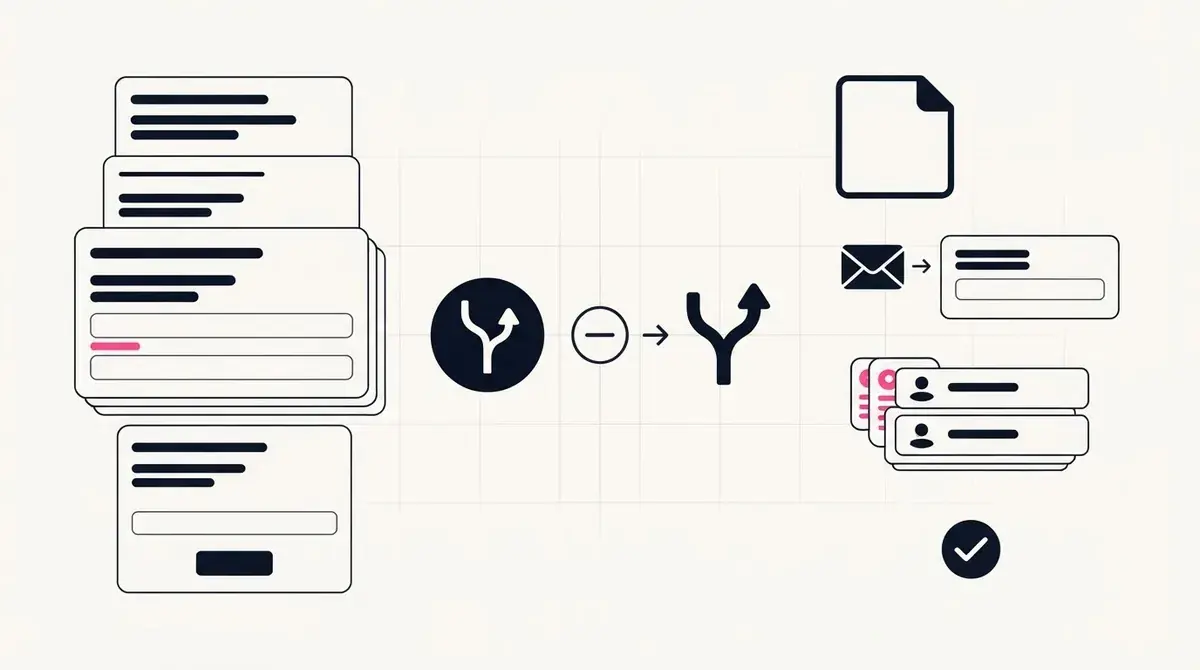
Match the form to the buyer's stage
A consultation form asks for site details, service requirements, timing, contact information, and sometimes budget or incident context. That is appropriate when the buyer is ready to speak with a provider.
A lead magnet sits earlier. The buyer may only be trying to understand what needs reviewing. A security checklist gives them a low-friction first step and gives the company a reason to follow up.
For the resource angle, start with free security risk assessment checklist for security companies.
Use a consultation form when
- The buyer wants a call, quote, tender response, or site visit.
- The company needs detailed site information before responding.
- There is a known service need such as guarding, patrols, key holding, or event coverage.
- The next step is a professional conversation.
Use Givloh when the checklist comes first
If a LinkedIn post, local profile update, or email signature offers a checklist, the visitor expects the checklist. Asking for a long consultation form before delivery creates too much friction.
Givloh keeps the exchange clear: email first, resource delivered, lead stored. The follow-up can then ask whether the person wants help turning the checklist into a consultation brief.
That approach is explained in how to turn a site security assessment into a lead magnet.
Use the consultation form for ready enquiries. Use the checklist to find people getting ready.
Givloh editorial note
Side-by-side comparison
| Need | Consultation form | Givloh |
|---|---|---|
| Collect full site details | Strong fit | Better later |
| Deliver a checklist | Needs extra setup | Built in |
| Capture early LinkedIn interest | Often too heavy | Strong fit |
| Follow up by resource topic | Manual tagging | Download-led |
| Replace file link and email gate | Usually no | Yes |
Practical decision
- Use Givloh when the visitor came for a resource.
- Use the consultation form when the visitor is ready to discuss service options.
- Link to the consultation form after the checklist download when appropriate.
- Do not make a long form the first step from a helpful security post.
Connect both without losing the lead
The clean workflow is sequential. Publish a practical checklist through Givloh. Capture the email before delivery. Send a follow-up that asks what prompted the security review. Then offer the consultation form when the lead wants a fuller conversation.
This keeps early buyers from bouncing while preserving a direct path for people who are ready for a site visit or quote.
For the channel plan, see LinkedIn lead magnet strategy for security companies.
Recommended workflow
- Publish one security checklist in Givloh.
- Promote it from LinkedIn, local profiles, and email signatures.
- Capture the email before delivery.
- Ask what triggered the security review.
- Send ready leads to the consultation form or site-visit process.
Use this as the starting checklist
- Use consultation forms for ready service enquiries.
- Use Givloh for early checklist downloads.
- Keep the first email gate short.
- Offer the full consultation form after the resource when appropriate.
- Review downloads and consultation requests as separate signals.
References and useful next reading
Givloh
Turn the resource into a lead capture page.
Upload a guide, checklist, template, or tool. Share one link. Capture the email before the download. No Mailchimp, Zapier, Drive permissions, or landing page builder.
Try Givloh freeFAQ
Should a security company use a consultation form or Givloh?
Use Givloh for early resource downloads and a consultation form when the lead is ready to discuss a site review, quote, or service plan.
Is a consultation form a lead magnet?
Not usually. A consultation form captures ready enquiries, while a lead magnet gives the prospect a useful resource before they are ready for a full conversation.
Can both tools work together?
Yes. Givloh can capture the first checklist download, then the follow-up can send warmer leads to the consultation form.