
Lead magnet strategy · 8 min read
How to Turn a Site Security Assessment Into a Lead Magnet
A practical guide for security companies that want to turn a basic site security assessment checklist into an email-gated lead magnet.
- A site security assessment can become a useful lead magnet when it helps a business owner spot obvious gaps before asking for a full consultation.
- The public version should be educational and cautious, not a substitute for a professional risk assessment.
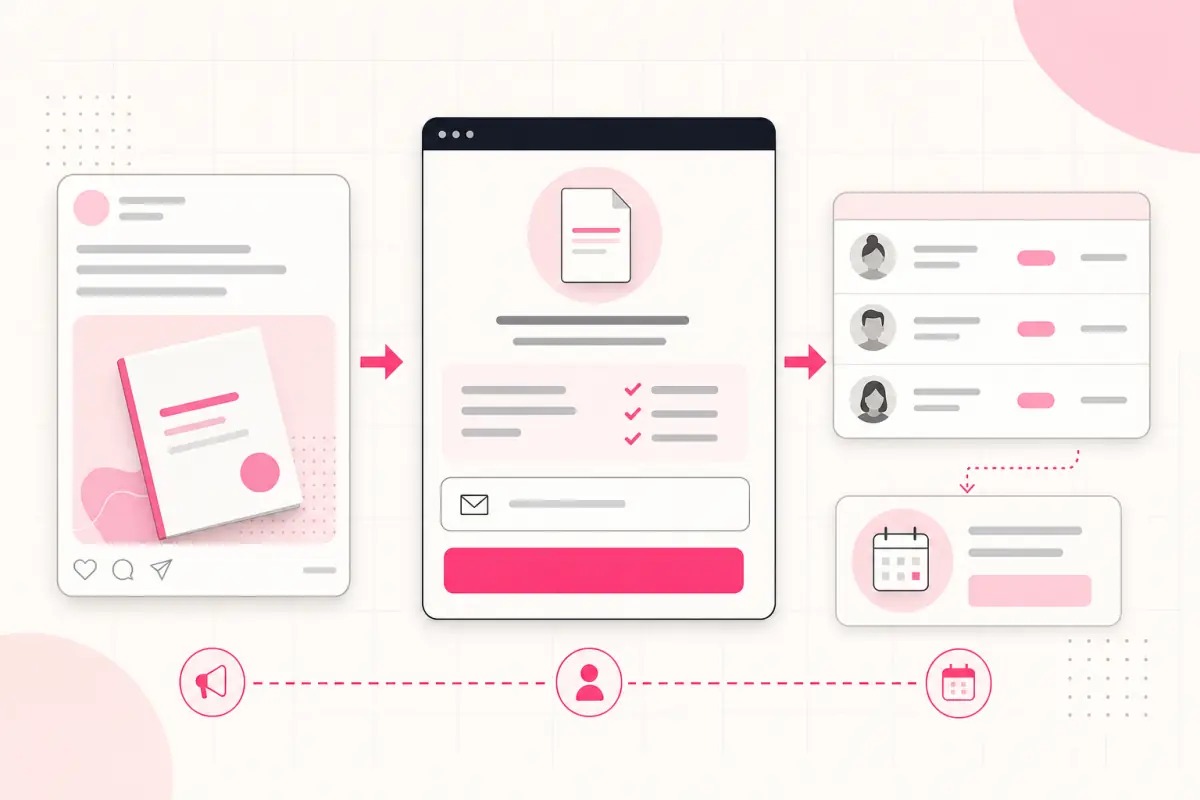
- Givloh can host the checklist, capture the email, deliver the file, and give the security company a named lead to follow up with.
Make the assessment a first step, not the final answer
Security companies often sell trust, preparation, and risk reduction. A public site assessment checklist can help a facilities manager, landlord, venue owner, or office manager understand what to review before booking a professional assessment.
The lead magnet should not pretend to replace specialist advice. It should give the reader a safe first pass: entrances, lighting, access control, visitor flow, incident records, lone-working concerns, and what information a consultant will need.
This works like how to turn a risk assessment checklist into a lead magnet, but with a narrower physical-security angle.
Good checklist sections
- Site access points and visitor routes.
- Lighting, visibility, and blind spots.
- Key holding, alarm response, and opening procedures.
- Staff concerns, incident notes, and escalation paths.
- Questions to ask before hiring guarding, CCTV, or patrol support.
Keep the language careful
A cautious checklist helps the prospect prepare without making promises about preventing crime, meeting every legal duty, or removing all risk. That matters because security needs vary by location, sector, premises, staff pattern, and regulation.
Official resources such as CISA security assessment material and the UK Security Industry Authority are useful background when the checklist mentions physical security planning or licensed private security work. Link to those sources rather than making unsupported claims.
The useful promise is simple: this checklist helps you see what to discuss in a proper security consultation.
A good security lead magnet prepares the conversation without pretending to finish the assessment.
Givloh editorial note
Turn internal scoping notes into a public PDF
Start with the questions the security company already asks during a first call. Remove operational details that should stay private, then rewrite each question in plain language for a non-specialist buyer.
The checklist should tell the reader what to observe, what to collect, and when to stop guessing. It can also include a small preparation section for photos, floor plans, site hours, recent incident notes, and existing supplier contracts.
For a profession-specific version, pair this guide with the security company email list building guide.
Conversion process
- List the questions asked during the first security enquiry.
- Remove confidential procedures and internal scoring.
- Group the questions by site access, people, process, and response.
- Add a short note explaining why each area matters.
- Publish the checklist through Givloh and capture the email before delivery.
- Follow up by asking which part of the site caused the download.
Use the download to qualify the enquiry
The follow-up should not immediately pitch every service. It should ask what prompted the download: a new premises, recent incident, insurance request, staff concern, event, or supplier review.
That answer tells the security company whether the lead needs guarding, mobile patrols, CCTV review, access control advice, key holding, or a broader consultation.
For the delivery setup, see free security risk assessment checklist for security companies.
Follow-up questions
- Is this for a new site, an existing site, or a one-off event?
- Has there been a recent incident or is this preventative?
- Do you already have guards, CCTV, access control, or alarm response in place?
- Would you like help turning the checklist into a consultation brief?
Use this as the starting checklist
- Frame the resource as a preparation checklist, not a full professional assessment.
- Cover site access, people, processes, response, and next-step questions.
- Remove operational details that should stay private.
- Use Givloh to gate the PDF behind an email form.
- Follow up by asking what prompted the security review.
References and useful next reading
Givloh
Turn the resource into a lead capture page.
Upload a guide, checklist, template, or tool. Share one link. Capture the email before the download. No Mailchimp, Zapier, Drive permissions, or landing page builder.
Try Givloh freeFAQ
Can a site security assessment be a lead magnet?
Yes. It works when the public version helps a prospect prepare for a professional consultation without claiming to replace one.
What should the checklist include?
It should cover access points, lighting, visitor flow, staff concerns, incident notes, response procedures, and questions for a security provider.
Should a security company gate the checklist behind email?
Yes, if the checklist is genuinely useful. Gating it with Givloh turns anonymous interest into a lead the company can follow up with.