
Platform strategy · 7 min read
YouTube Channel Link Strategy for Service Businesses
How service businesses can turn YouTube viewers into email leads by sending them to one useful resource instead of a scattered list of links.
- A YouTube channel link works best when it points to a useful resource that matches what viewers just watched.
- Service businesses should avoid sending viewers to a generic homepage when a checklist, guide, or consultation prep sheet would capture a warmer lead.
- Use one focused lead capture link in the channel profile, descriptions, pinned comments, and relevant replies where it genuinely helps.
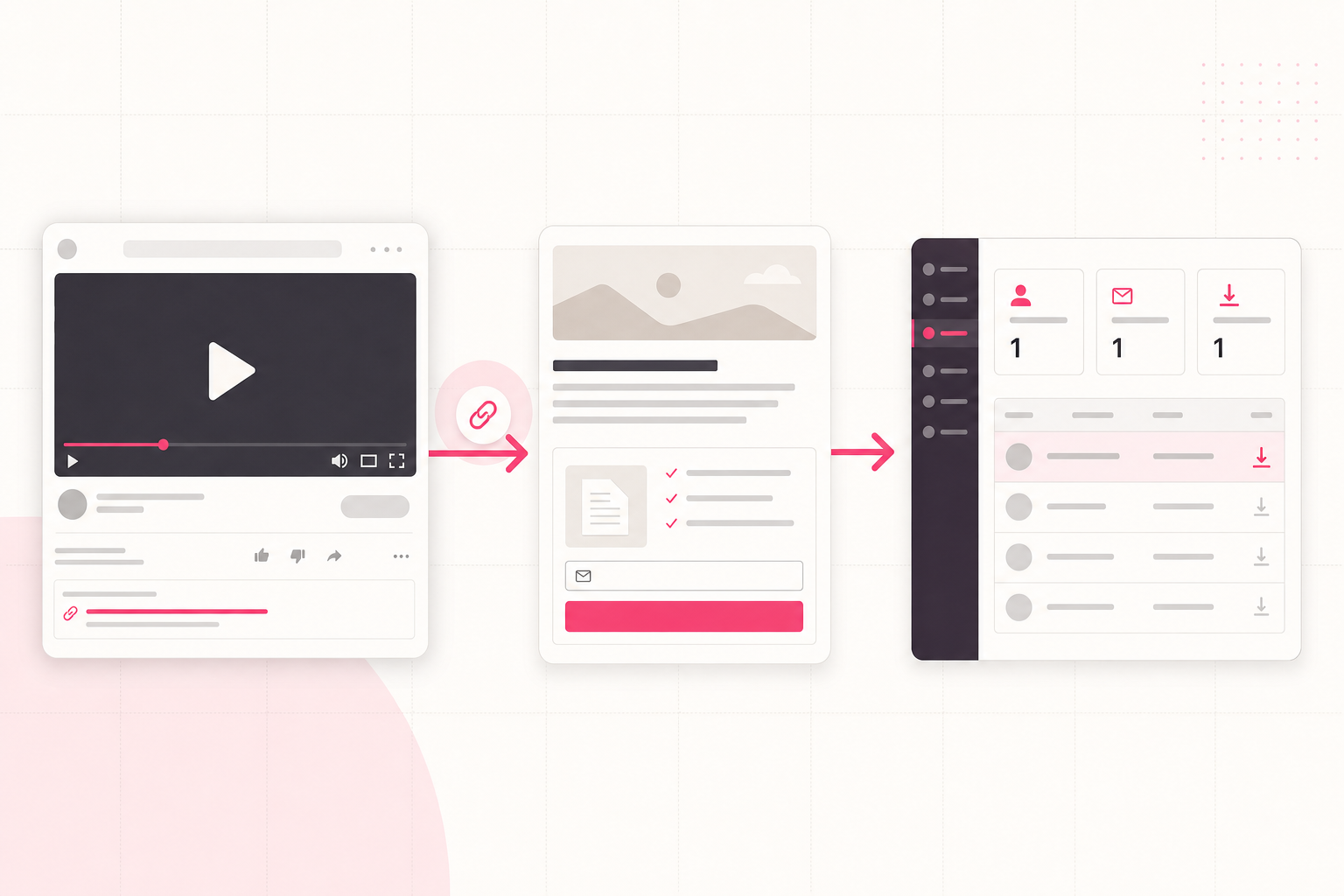
Match the link to the viewer moment
YouTube viewers often arrive with a specific question. A roofer might explain roof leak warning signs. An accountant might explain what to prepare before tax season. A personal trainer might walk through a beginner mobility routine.
The strongest link gives the viewer a next step that matches that moment. Instead of sending everyone to a homepage, offer the checklist, guide, or template that extends the video.
This is the same logic behind a focused social bio link. The platform changes, but the job is still to turn attention into an owned lead.
Good YouTube lead magnet fits
- A checklist that matches a how-to video.
- A prep sheet for viewers considering a service call.
- A simple calculator or worksheet for a common decision.
- A downloadable version of a repeatable process.
- A short guide that helps the viewer decide what to ask next.
Use the channel profile link deliberately
YouTube lets channels add profile links. For a service business, the first link should usually be the most useful lead capture destination, not a pile of unrelated options.
If the business has one core audience, keep the link focused. If the channel covers several service categories, rotate the link around the most important current resource and keep video descriptions more specific.
For local businesses, this can sit alongside a Google Business Profile strategy. See Google Business Profile lead generation for local service businesses.
A simple link setup
- Choose one resource that fits the main channel audience.
- Publish it behind a short email gate.
- Add the link to the channel profile.
- Reference the same link in relevant video descriptions.
- Track which resource generates enquiries.
Write video descriptions for action
A description should not only summarise the video. It should give the viewer the next useful thing to do.
Keep the call to action plain. For example: "If you are checking this before booking an inspection, download the free preparation checklist here." That is clearer than "visit our website for more."
Avoid dropping the same generic link under every video if the resource does not match the topic. Relevance matters more than volume.
The best YouTube link is not the most promoted link. It is the link that continues the exact problem the viewer came to solve.
Givloh editorial note
Capture the lead before the conversation gets cold
A viewer can like a video and still disappear. Email capture gives the business a named person to follow up with, provided the follow-up respects consent and context.
Givloh helps by hosting the resource page, collecting the email, delivering the file, and showing the lead in a dashboard. That removes the usual patchwork of Google Drive links, forms, and manual sending.
For comparison with plain file hosting, read Google Drive vs Givloh for lead magnets.
Where to use the link
- Channel profile link.
- Relevant video descriptions.
- Pinned comments when the resource is directly useful.
- Community posts that point to a specific checklist.
- Replies to genuine questions where the resource answers the need.
Use this as the starting checklist
- Pick one resource that matches the channel audience.
- Put the strongest resource link in the channel profile.
- Use video-specific links in descriptions where needed.
- Avoid sending warm viewers to a generic homepage first.
- Track the leads that come from each resource.
References and useful next reading
Givloh
Turn the resource into a lead capture page.
Upload a guide, checklist, template, or tool. Share one link. Capture the email before the download. No Mailchimp, Zapier, Drive permissions, or landing page builder.
Try Givloh freeFAQ
Can a service business get leads from YouTube without ads?
Yes. A useful video can send viewers to a relevant checklist, guide, or preparation sheet where they enter an email before download.
Where should a YouTube lead capture link go?
Use the channel profile link for the main resource, then add topic-specific links in video descriptions and pinned comments when they are directly relevant.
Should every video use the same lead magnet?
Not always. If videos cover different problems, use the resource that fits the specific viewer intent instead of repeating a generic link everywhere.